Bài viết gần đây
-
5. Tại sao dữ liệu là vũ khí tối thượng của nhà đầu tư hiện đại?
Tháng 3 29, 2026
| BACKTEST CHIẾN LƯỢC BOT AUTO TRADING BẰNG PYTHON
Được viết bởi thanhdt vào ngày 27/11/2025 lúc 16:37 | 87 lượt xem
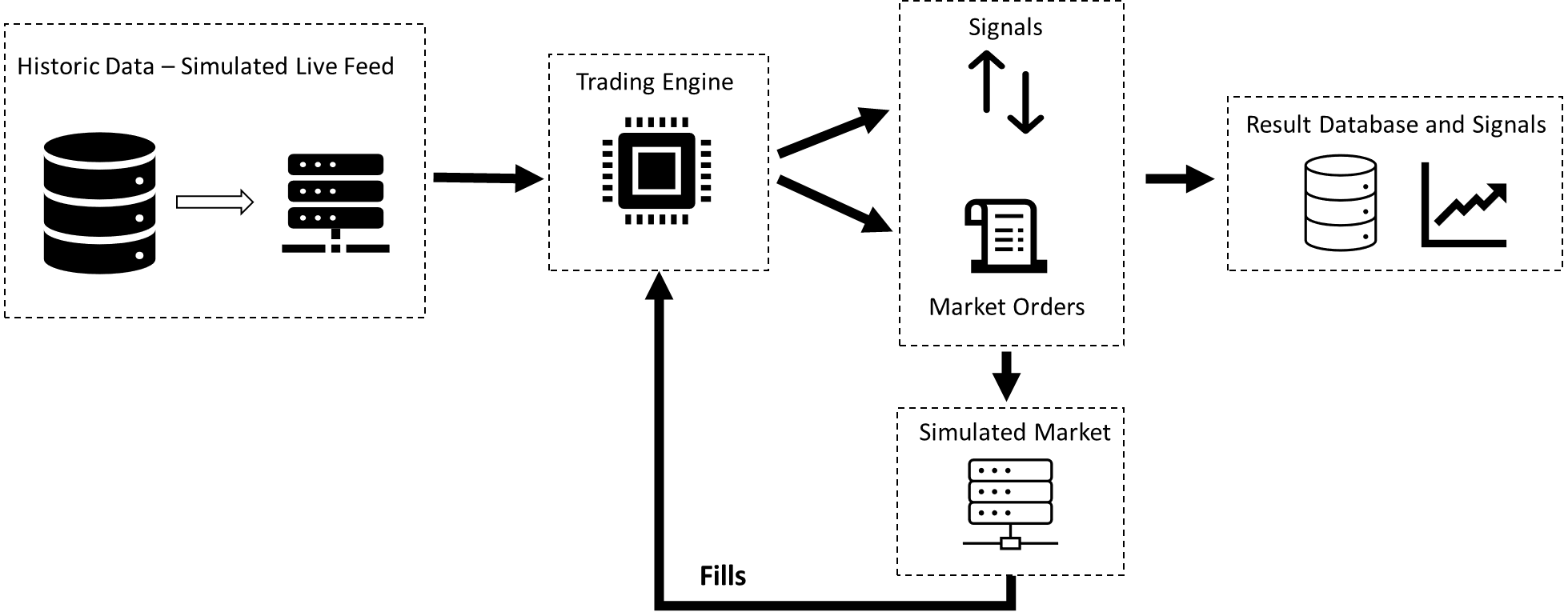
BACKTEST CHIẾN LƯỢC BOT AUTO TRADING BẰNG PYTHON (PANDAS)
(Bài chuẩn SEO: bot auto trading python, backtest strategy, pandas backtesting)
Backtest là bước quan trọng nhất khi xây dựng bot auto trading.
Không có backtest → không bot nào được phép chạy tiền thật.
Với Python + Pandas, chúng ta có thể:
- Tải dữ liệu lịch sử
- Tính indicator
- Sinh tín hiệu BUY/SELL
- Giả lập vào lệnh
- Tính lợi nhuận, drawdown, winrate
- So sánh chiến lược ⇒ tối ưu hóa
Bài này hướng dẫn Backtest chuyên nghiệp với Python.
1. Backtest là gì?

Backtest = chạy thử chiến lược với dữ liệu quá khứ để xem:
- Nếu bot chạy trong 1 năm → lãi bao nhiêu?
- Thua lỗ tối đa (max drawdown)?
- Winrate bao nhiêu?
- Có đuối trong thị trường sideway không?
Backtest giúp loại bỏ chiến lược yếu và giữ lại chiến lược mạnh.
2. Cài đặt thư viện
pip install pandas numpy ccxt matplotlib
3. Tải dữ liệu lịch sử BTC/ETH bằng CCXT
import ccxt
import pandas as pd

exchange = ccxt.binance()

def get_data(symbol="BTC/USDT", tf="1h", limit=1000):
    data = exchange.fetch_ohlcv(symbol, tf, limit=limit)
    df = pd.DataFrame(data, columns=["time","open","high","low","close","volume"])
    df["time"] = pd.to_datetime(df["time"], unit="ms")
    return df
4. Tính toán indicator (MA example)
def apply_indicator(df):
    df["MA20"] = df["close"].rolling(20).mean()
    df["MA50"] = df["close"].rolling(50).mean()
    return df
5. Sinh tín hiệu BUY/SELL
Ví dụ chiến lược: MA20 cắt MA50
def signal(df):
    df["signal"] = 0
    df.loc[df["MA20"] > df["MA50"], "signal"] = 1   # BUY
    df.loc[df["MA20"] < df["MA50"], "signal"] = -1  # SELL
    return df
6. Backtest – Giả lập giao dịch
def backtest(df):
    df["position"] = df["signal"].shift(1)
    df["returns"] = df["close"].pct_change()
    df["strategy"] = df["position"] * df["returns"]
    df["equity"] = (1 + df["strategy"]).cumprod()
    return df
7. Tính Winrate, Max Drawdown, Lợi nhuận
def performance(df):
    win = df[df["strategy"] > 0].shape[0]
    loss = df[df["strategy"] < 0].shape[0]
    winrate = win / (win + loss)

    max_dd = (df["equity"].cummax() - df["equity"]).max()

    total_return = df["equity"].iloc[-1] - 1

    return {
        "Winrate": round(winrate*100, 2),
        "Max Drawdown": round(max_dd*100, 2),
        "Total Return": round(total_return*100, 2)
    }
8. Full Code Backtest Hoàn Chỉnh
df = get_data("BTC/USDT", "1h", 1500)
df = apply_indicator(df)
df = signal(df)
df = backtest(df)
stats = performance(df)

print(stats)
Output ví dụ:
{
 'Winrate': 54.38,
 'Max Drawdown': 12.4,
 'Total Return': 78.2
}
9. Vẽ đồ thị đường vốn (Equity Curve)


import matplotlib.pyplot as plt

plt.plot(df["time"], df["equity"])
plt.title("Equity Curve – Backtest")
plt.show()
10. Kết hợp Backtest với Bot Auto Trading
Backtest giúp quyết định:
- Có nên triển khai bot hay không?
- Bot chạy tốt nhất ở khung nào?
- MA thông số nào hiệu quả nhất?
- Nên thêm ATR hay Volume để lọc tín hiệu?
- Có cần dùng multi-timeframe?
Backtest là nền tảng để tạo ra:
✔ Bot MA6–10–20
✔ Bot Breakout
✔ Bot ATR Stop-loss
✔ Bot Momentum
✔ Bot Multi-Timeframe
✔ Bot lấy tín hiệu TradingView
Ở tất cả các bài trước, nếu muốn chuyển sang bot thật → phải backtest trước.