Bài viết gần đây
| Thu Thập Dữ Liệu Với Python (CSV → Excel → SQL → API → Web Scraping)
Được viết bởi thanhdt vào ngày 09/12/2025 lúc 18:57 | 458 lượt xem
Thu Thập Dữ Liệu Với Python (CSV → Excel → SQL → API → Web Scraping)

Trong phân tích dữ liệu, thu thập dữ liệu (Data Ingestion) là bước đầu tiên – và quan trọng nhất.
Dữ liệu càng đầy đủ – sạch – chính xác → phân tích càng hiệu quả.
Python hỗ trợ tất cả nguồn dữ liệu phổ biến:
- File: CSV, Excel
- Cơ sở dữ liệu: MySQL, PostgreSQL
- API: REST API, JSON API
- Web Scraping: Tự động lấy dữ liệu từ website
- Google Sheets
- Dữ liệu thời gian thực (Real-time Streams)
Bài này sẽ hướng dẫn bạn cách lấy dữ liệu bằng Python theo từng nguồn.
1. Đọc dữ liệu từ CSV
CSV là định dạng phổ biến nhất.
import pandas as pd

df = pd.read_csv("sales.csv")
print(df.head())
Nếu file có dấu phẩy, dấu chấm phẩy:
df = pd.read_csv("sales.csv", sep=";")
Nếu file lớn → đọc nhanh với chunks:
for chunk in pd.read_csv("bigdata.csv", chunksize=100000):
    print(chunk)
2. Đọc dữ liệu từ Excel (.xlsx)
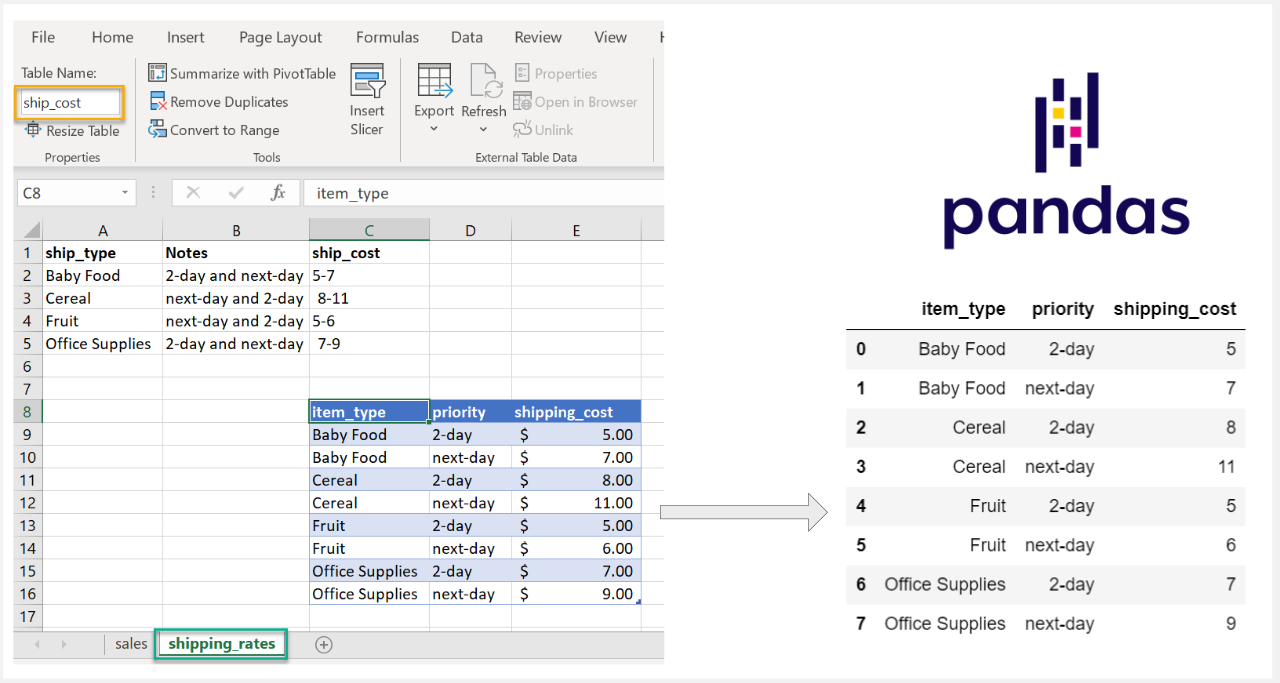

df = pd.read_excel("report.xlsx")
Đọc file có nhiều sheet:
df = pd.read_excel("report.xlsx", sheet_name="Thang1")
Xuất Excel:
df.to_excel("output.xlsx", index=False)
3. Thu thập dữ liệu từ SQL (MySQL & PostgreSQL)
(1) Kết nối MySQL
import mysql.connector
import pandas as pd

conn = mysql.connector.connect(
    host="localhost",
    user="root",
    password="123456",
    database="sales"
)

df = pd.read_sql("SELECT * FROM orders", conn)
print(df.head())
(2) Kết nối PostgreSQL
import psycopg2
import pandas as pd

conn = psycopg2.connect(
    host="localhost",
    database="analytics",
    user="postgres",
    password="123456"
)

df = pd.read_sql("SELECT * FROM revenue", conn)
4. Lấy dữ liệu từ API (JSON)


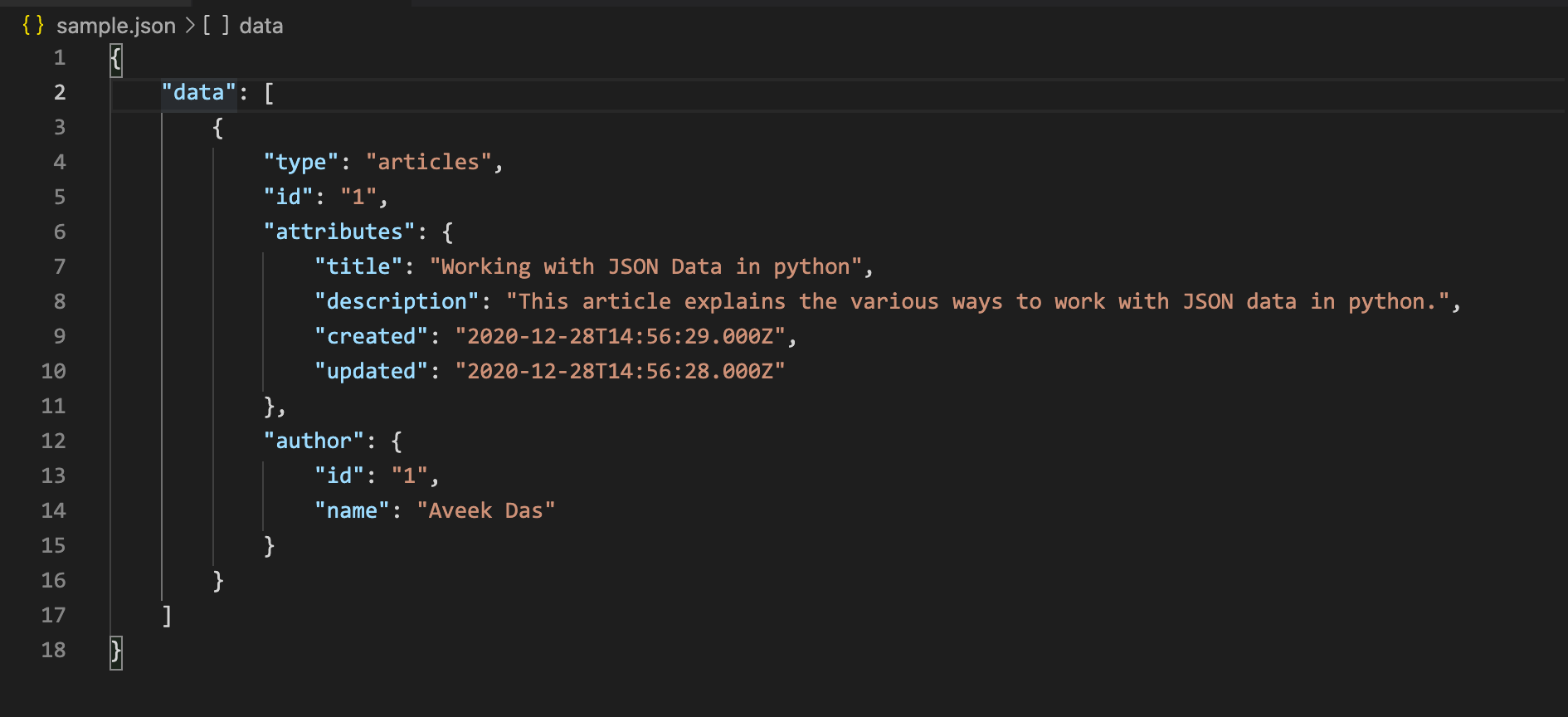
Dữ liệu API là nguồn cực kỳ quan trọng:
- Dữ liệu tài chính
- Dữ liệu thị trường
- Dữ liệu bán hàng từ website
- Dữ liệu CRM
- Dữ liệu thời tiết, giao thông…
Ví dụ 1 – Lấy dữ liệu JSON từ một API công khai
import requests

url = "https://api.coindesk.com/v1/bpi/currentprice.json"
data = requests.get(url).json()

print(data)
Ví dụ 2 – API trả về bảng dữ liệu
import requests
import pandas as pd

url = "https://dummyjson.com/products"
data = requests.get(url).json()

df = pd.DataFrame(data["products"])
print(df.head())
Ví dụ 3 – API có tham số
url = "https://api.exchangerate.host/latest?base=USD"

res = requests.get(url).json()
print(res["rates"])
5. Web Scraping – Lấy dữ liệu từ website



Dùng khi:
- Không có API
- Website chỉ có bảng dữ liệu
- Cần tự động hóa tải dữ liệu
Thư viện:
- requests
- BeautifulSoup
Ví dụ: Lấy bảng dữ liệu từ website
import requests
from bs4 import BeautifulSoup
import pandas as pd

url = "https://www.worldometers.info/world-population/population-by-country/"
html = requests.get(url).text

soup = BeautifulSoup(html, "html.parser")

table = soup.find("table")
rows = table.find_all("tr")

data = []
for row in rows:
    cols = [c.text.strip() for c in row.find_all("td")]
    if cols:
        data.append(cols)

df = pd.DataFrame(data)
print(df.head())
6. Thu thập dữ liệu từ Google Sheets
Cách 1: Public CSV
https://docs.google.com/spreadsheets/d/<sheetID>/export?format=csv
df = pd.read_csv("https://docs.google.com/…/export?format=csv")
Cách 2: API (yêu cầu credentials)
Sử dụng thư viện gspread.
7. Lấy dữ liệu thời gian thực (Realtime Data)
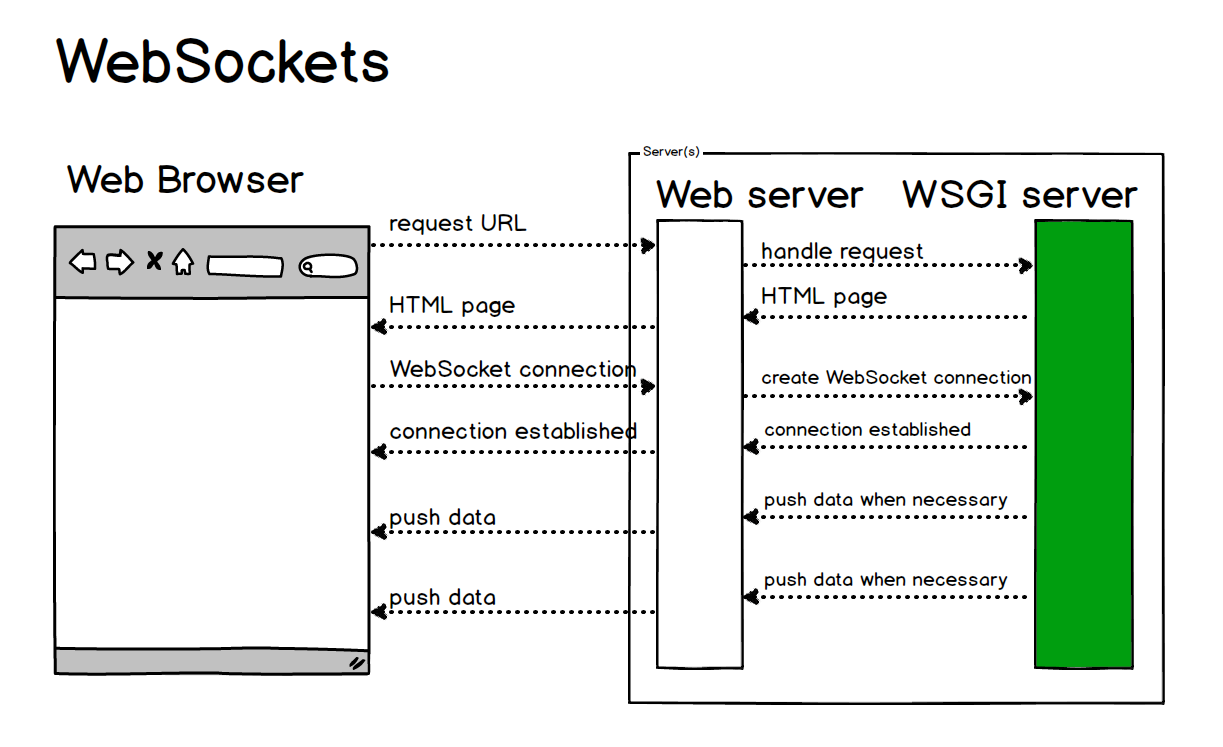

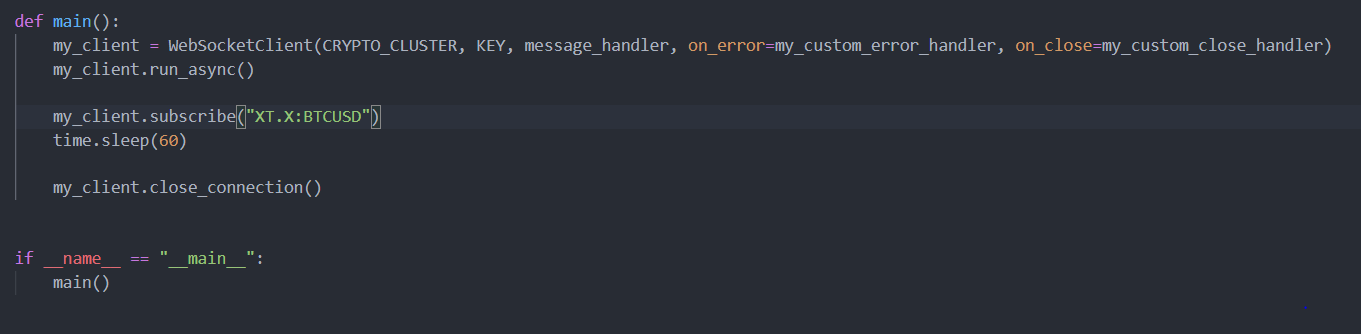
Ví dụ lấy dữ liệu giá Crypto qua WebSocket:
import websockets
import asyncio
import json

async def stream():
    url = "wss://stream.binance.com:9443/ws/btcusdt@trade"
    async with websockets.connect(url) as ws:
        while True:
            data = json.loads(await ws.recv())
            print(data)

asyncio.run(stream())
8. Tự động hóa quá trình thu thập dữ liệu (ETL Pipeline)
Cấu trúc pipeline:
Extract (lấy dữ liệu)
    ↓
Transform (xử lý – làm sạch – biến đổi)
    ↓
Load (lưu SQL / Excel / CSV / Dashboard)
Python hỗ trợ ETL với:
- Pandas
- Airflow
- Prefect
- Luigi
- Cronjob (Linux)
9. Kết luận
Python giúp bạn thu thập dữ liệu từ mọi nguồn:
- File (CSV, Excel)
- SQL
- API
- Web Scraping
- Google Sheets
- Realtime streams
Một Data Analyst chuyên nghiệp phải thành thạo tối thiểu:
pandasrequestssqlalchemyBeautifulSoupwebsockets
Dữ liệu tốt → phân tích tốt → kết luận chính xác.