Bài viết gần đây
| Xây Dựng Bot Auto Trading Bằng FastAPI + ccxt (Crypto) + MT5 (Forex)
Được viết bởi thanhdt vào ngày 09/12/2025 lúc 18:43 | 172 lượt xem

Xây Dựng Bot Auto Trading Bằng FastAPI + ccxt (Crypto) + MT5 (Forex)
Bot Auto Trading là một hệ thống tự động hóa toàn bộ quá trình giao dịch:
nhận tín hiệu → kiểm tra rủi ro → tính khối lượng → đặt lệnh → quản lý TP/SL → giám sát tài khoản.
Trong bài này, bạn sẽ học cách xây dựng Bot Auto Trading thực chiến bằng:
- FastAPI → Backend điều khiển bot
- ccxt / ccxt.pro → Kết nối Crypto exchanges (Binance, Bitget, Bybit…)
- MetaTrader 5 (MT5) → Gửi lệnh Forex
- Database (PostgreSQL/MongoDB)
- Risk Engine → TP/SL, drawdown, kiểm tra vị thế
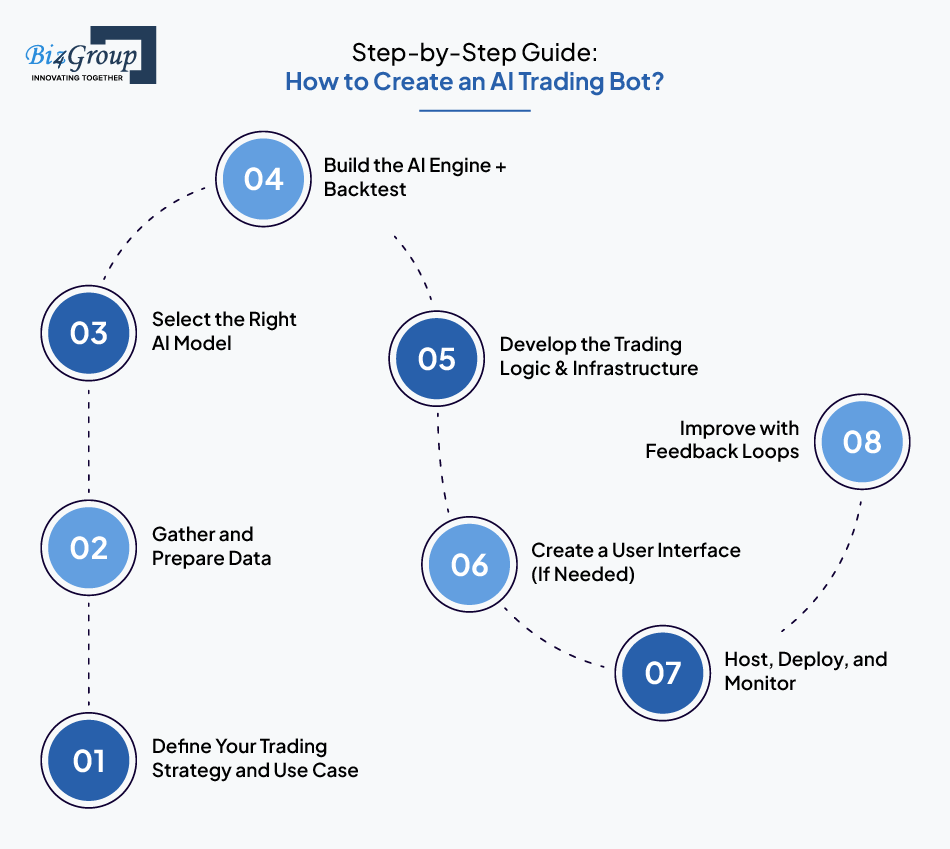
- Webhook → Nhận tín hiệu từ TradingView hoặc AI Model
1. Kiến trúc tổng quan của Bot Auto Trading

4
Một hệ thống bot chuẩn gồm:
[ TradingView / AI Model / Strategy Engine ]
                       ↓
                [ FastAPI Webhook ]
                       ↓
                 [ Risk Engine ]
                       ↓
                [ Execution Engine ]
              /                        \
    [ Crypto Exchange via ccxt ]   [ MT5 Forex ]
                       ↓
                [ Monitoring + DB ]
2. Tạo FastAPI Backend – Trung tâm điều khiển bot
Khởi tạo project FastAPI
pip install fastapi uvicorn python-dotenv ccxt MetaTrader5
Tạo file main.py:
from fastapi import FastAPI

app = FastAPI()

@app.get("/")
def root():
    return {"status": "bot_running"}
Chạy server:
uvicorn main:app --reload
3. Kết nối Crypto Exchange bằng ccxt
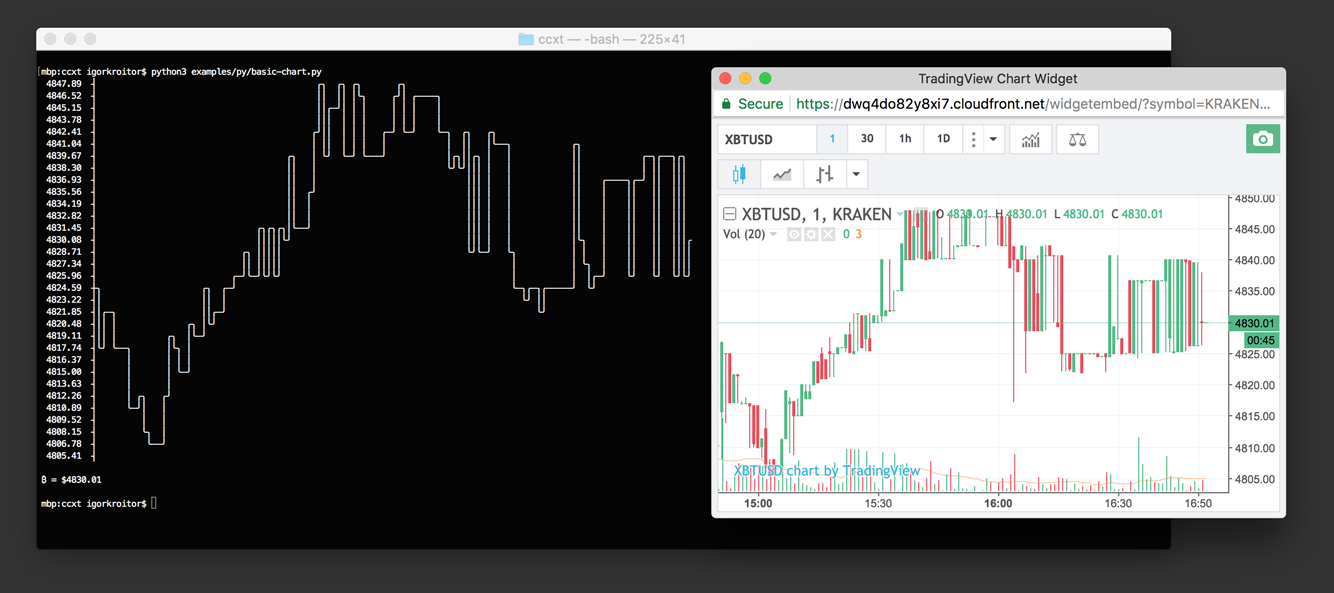

Cấu hình kết nối
import ccxt
import os

exchange = ccxt.binance({
    "apiKey": os.getenv("API_KEY"),
    "secret": os.getenv("API_SECRET")
})
Hàm đặt lệnh Crypto
async def place_order(symbol, side, amount):
    order = exchange.create_order(
        symbol=symbol,
        type="market",
        side=side,
        amount=amount
    )
    return order
4. Kết nối Forex bằng MetaTrader 5 (MT5)


import MetaTrader5 as mt5

mt5.initialize()

def mt5_order(symbol, volume, order_type):
    request = {
        "action": mt5.TRADE_ACTION_DEAL,
        "symbol": symbol,
        "volume": volume,
        "type": order_type,  # BUY / SELL
    }
    return mt5.order_send(request)
5. Nhận tín hiệu qua Webhook (TradingView → FastAPI)



TradingView gửi về dạng JSON:
{
  "symbol": "BTCUSDT",
  "side": "long",
  "tf": "15m",
  "confidence": 0.92
}
FastAPI webhook:
from fastapi import Request

@app.post("/webhook")
async def webhook(request: Request):
    data = await request.json()
    symbol = data["symbol"]
    side = data["side"]

    # Đưa vào hàng đợi xử lý
    await order_queue.put(data)
    return {"received": data}
6. Risk Engine – Bước quan trọng nhất của bot


Risk Engine xử lý:
- Giới hạn số lệnh
- Check drawdown
- Chống mở lệnh trùng
- Kiểm tra hướng vị thế
- Kiểm soát volume
- Set TP/SL
Ví dụ kiểm tra vị thế Crypto
async def can_open(symbol, side):
    positions = exchange.fetch_positions()
    for pos in positions:
        if pos["symbol"] == symbol and pos["contracts"] > 0:
            if pos["side"] == side:
                return False
    return True
7. Execution Engine – Đặt lệnh nhanh và an toàn
Execution phải xử lý:
- Market order
- Limit order
- TP/SL
- Retry nếu API lỗi
- Logging
Luồng xử lý đặt lệnh
Signal → Risk Engine → Execution → Confirm → DB → Notify
Worker xử lý hàng đợi
order_queue = asyncio.Queue()

async def worker():
    while True:
        signal = await order_queue.get()
        await process_signal(signal)
        order_queue.task_done()
8. Đồng bộ tài khoản – kiểm tra liên tục
Bot cần kiểm tra:
- Equity
- Balance
- Margin
- Funding Fee
- Tỷ lệ đòn bẩy
- Position size
Ví dụ kiểm tra balance:
balance = exchange.fetch_balance()
print(balance["USDT"]["free"])
9. Lưu lịch sử giao dịch & logging
Database nên dùng:
- PostgreSQL (ổn định, mạnh)
- MongoDB (linh hoạt)
Lưu:
- Lệnh
- TP/SL
- Risk event
- Signal nhận
- Log lỗi
- Số dư tài khoản
10. Monitoring – Theo dõi bot real-time


Kênh giám sát:
- Telegram Bot
- Zalo OA ZNS
- Dashboard React/Flutter
- Grafana + Prometheus
Ví dụ gửi Telegram:
import httpx

async def send_tele(msg):
    url = f"https://api.telegram.org/bot{TOKEN}/sendMessage"
    async with httpx.AsyncClient() as client:
        await client.post(url, json={"chat_id": CHAT_ID, "text": msg})
11. Tích hợp Crypto & Forex trong một bot
Hệ thống có thể chạy đồng thời:
- Crypto (BTC/ETH/BNB)
- Forex (EURUSD, XAUUSD)
Sử dụng cấu trúc:
/engine/crypto_ccxt.py
/engine/forex_mt5.py
/engine/risk.py
/engine/execution.py
/main.py
12. Quy trình xây bot chuẩn (Roadmap)
Dữ liệu → Chiến lược → Backtest → Tối ưu → Bot FastAPI → Risk → Execution → Monitoring
Không bao giờ xây bot khi chưa có:
✔ Backtest ổn
✔ Profit Factor > 1.5
✔ Max DD < 25%
✔ Recovery Factor cao
✔ Risk Engine chặt
13. Kết luận
Bot Auto Trading không phải chỉ là code đặt lệnh.
Nó là một hệ thống hoàn chỉnh gồm:
- FastAPI backend
- ccxt / MT5
- Risk Engine
- Execution Engine
- Monitoring
- Queue xử lý
- Database
- Webhook tín hiệu
Và quan trọng nhất:
Một chiến lược tốt chỉ hiệu quả khi backend mạnh và Risk Engine vững chắc.