Bài viết gần đây
-
-
Áp Dụng BOT Vào Phân Tích Và Đầu Tư Chứng Khoán Hiệu Quả
Tháng 2 15, 2026
| XÂY DỰNG BOT AUTO TRADING KÊNH XU HƯỚNG
Được viết bởi thanhdt vào ngày 27/11/2025 lúc 16:40 | 61 lượt xem
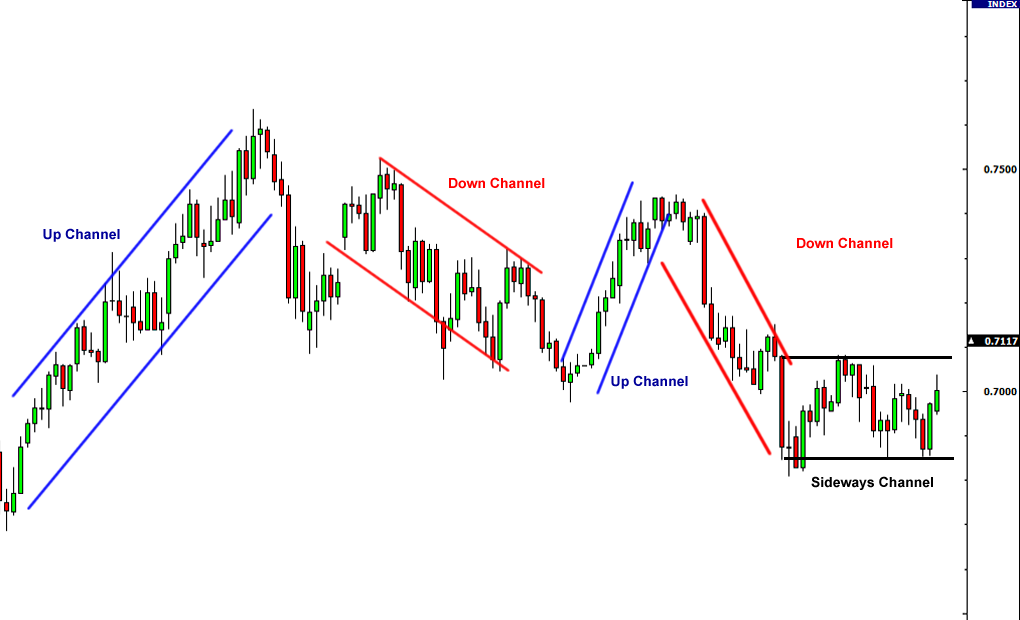
XÂY DỰNG BOT AUTO TRADING KÊNH XU HƯỚNG (TREND CHANNEL BOT)
(Bài chuẩn SEO: bot auto trading python, trend channel trading, binance futures)
Trong hệ thống Chiến Lược Xu Hướng VIP, kênh xu hướng (Trend Channel) là công cụ cực kỳ quan trọng để:
- Xác định xu hướng chính
- Dự đoán dư địa tăng / giảm
- Xác định điểm vào lệnh tối ưu
- Xác định vùng TP/SL an toàn
Khi đưa vào bot auto trading, chiến lược kênh xu hướng giúp bot:
- Chỉ vào lệnh khi giá chạm biên kênh đẹp
- Tránh trade giữa vùng nhiễu
- Bắt điểm đảo chiều trong xu hướng
- Giữ lệnh theo xu hướng dài hơn
1. Kênh xu hướng là gì?
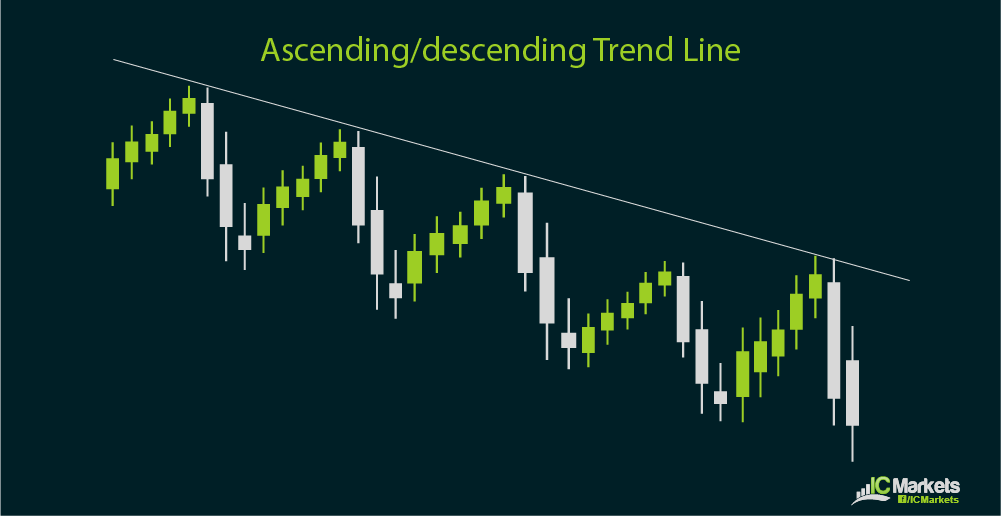
Kênh xu hướng gồm:
- Đường trendline chính (kết nối đáy hoặc đỉnh)
- Đường song song (kênh trên hoặc dưới)
- Giá dao động giữa kênh → tạo xu hướng tăng/giảm
Trong bot trading, ta xác định:
- Upper Channel (vùng chốt lời)
- Lower Channel (vùng mua khi uptrend)
- Midline (điểm xác nhận xu hướng)
2. Logic Bot Auto Trading theo Kênh Xu Hướng
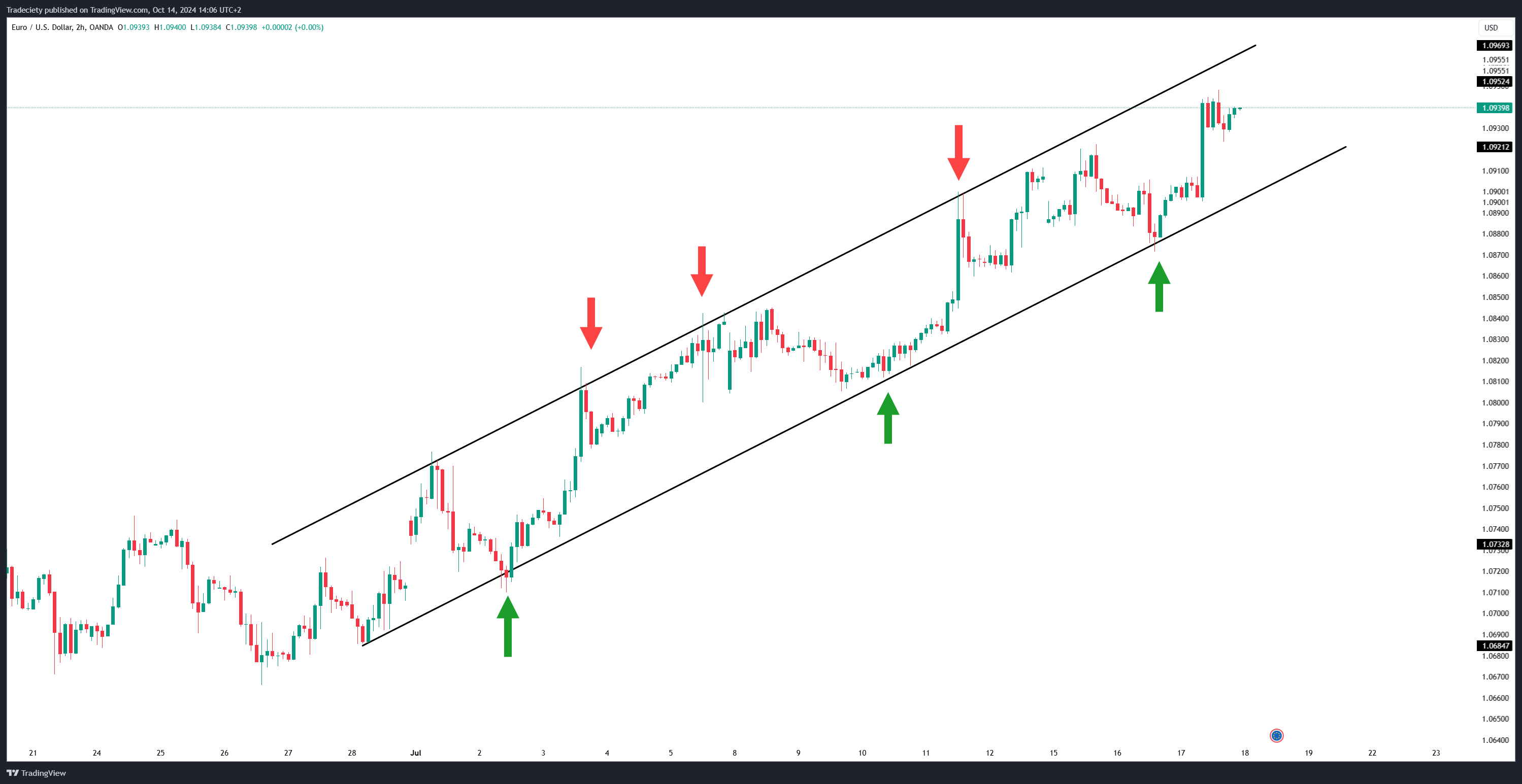
Xu hướng tăng (Uptrend Channel):
- BUY khi giá chạm Lower Channel
- TP ở Upper Channel
- SL dưới biên dưới 1 ATR
Xu hướng giảm (Downtrend Channel):
- SELL khi giá chạm Upper Channel
- TP ở Lower Channel
- SL trên biên trên 1 ATR
3. Cài đặt thư viện
pip install ccxt pandas numpy scipy python-dotenv
4. Thuật toán vẽ kênh xu hướng bằng Python (Linear Regression)
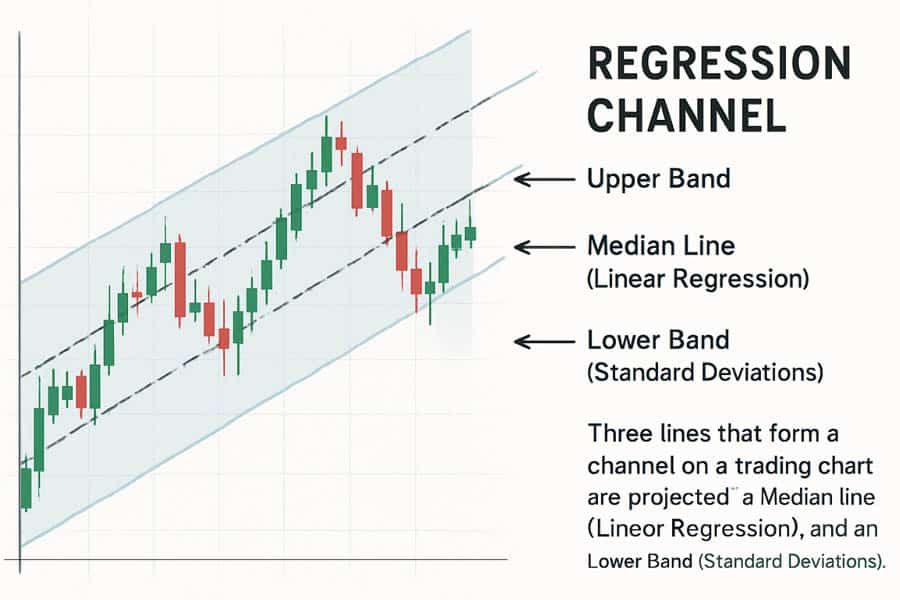
Ta dùng Linear Regression để xác định đường xu hướng chính.
from sklearn.linear_model import LinearRegression
import numpy as np

def linear_channel(df):
    X = np.arange(len(df)).reshape(-1,1)
    y = df['close'].values

    model = LinearRegression()
    model.fit(X, y)

    trend = model.predict(X)

    # biên trên và dưới
    channel_up = trend + df['close'].std()
    channel_down = trend - df['close'].std()

    df['trend'] = trend
    df['channel_up'] = channel_up
    df['channel_down'] = channel_down

    return df
5. Lấy dữ liệu BTC/ETH Futures
import ccxt, pandas as pd

binance = ccxt.binance({'options': {'defaultType': 'future'}})

def fetch(symbol="BTC/USDT", tf="1h", limit=500):
    df = pd.DataFrame(
        binance.fetch_ohlcv(symbol, tf, limit=limit),
        columns=["time","open","high","low","close","volume"]
    )
    return df
6. Tín hiệu BUY/SELL theo kênh xu hướng
def channel_signal(df):
    c = df.iloc[-1]

    if c['close'] <= c['channel_down']:
        return "BUY"   # giá chạm biên dưới

    if c['close'] >= c['channel_up']:
        return "SELL"  # giá chạm biên trên

    return "NONE"
7. Gửi lệnh Binance Futures
from binance.client import Client
from dotenv import load_dotenv
import os

load_dotenv()
client = Client(os.getenv("BINANCE_API_KEY"), os.getenv("BINANCE_API_SECRET"))

def execute(symbol, signal, qty):
    if signal == "BUY":
        client.futures_create_order(symbol=symbol, side="BUY", type="MARKET", quantity=qty)
    if signal == "SELL":
        client.futures_create_order(symbol=symbol, side="SELL", type="MARKET", quantity=qty)
8. Full Code Bot Auto Trading – Trend Channel
symbol = "BTC/USDT"
qty = 0.01

df = fetch(symbol)
df = linear_channel(df)
signal = channel_signal(df)

print("Signal:", signal)

if signal != "NONE":
    execute(symbol, signal, qty)
Chạy bot liên tục:
import time

while True:
    df = fetch(symbol)
    df = linear_channel(df)
    signal = channel_signal(df)

    print("Price:", df['close'].iloc[-1], "Signal:", signal)

    if signal != "NONE":
        execute(symbol, signal, qty)

    time.sleep(20)
9. Nâng cấp Bot Trend Channel (Pro Version)
📌 1. Thêm ATR Stop-loss
→ SL dưới kênh (Uptrend) hoặc trên kênh (Downtrend)
📌 2. Thêm Volume Confirmation
→ Tránh trade khi volume thấp
📌 3. Kết hợp Multi-Timeframe (H1 trong H4)
→ Chỉ trade nếu xu hướng lớn đồng thuận
📌 4. Dùng Websocket Realtime
→ Detect breakout theo kênh chính xác hơn REST API
📌 5. Thêm Midline
→ Xác định tín hiệu tiếp diễn xu hướng