Bài viết gần đây
-
5. Tại sao dữ liệu là vũ khí tối thượng của nhà đầu tư hiện đại?
Tháng 3 29, 2026
| XÂY DỰNG BOT AUTO TRADING MOMENTUM
Được viết bởi thanhdt vào ngày 27/11/2025 lúc 16:39 | 111 lượt xem
XÂY DỰNG BOT AUTO TRADING MOMENTUM (MACD + VOLUME) BẰNG PYTHON
(Bài chuẩn SEO: bot auto trading python, momentum bot, macd histogram bot, binance futures)
Trong giao dịch Crypto, đặc biệt là Futures, Momentum là một trong những chiến lược vào lệnh mạnh mẽ nhất.
Momentum = giá + lực (volume, MACD, speed) di chuyển theo 1 hướng mạnh.
Trong bot auto trading, Momentum giúp:
- Bắt các cú breakout có lực mạnh
- Tránh giao dịch trong vùng sideway
- Giảm fake breakout
- Vào lệnh theo xu hướng đang tăng tốc (trend acceleration)
Ở bài này, ta xây dựng bot Momentum sử dụng:
- MACD Histogram (đo động lượng)
- Volume Confirmation (xác nhận lực)
- Python + Binance Futures API
1. Momentum là gì?
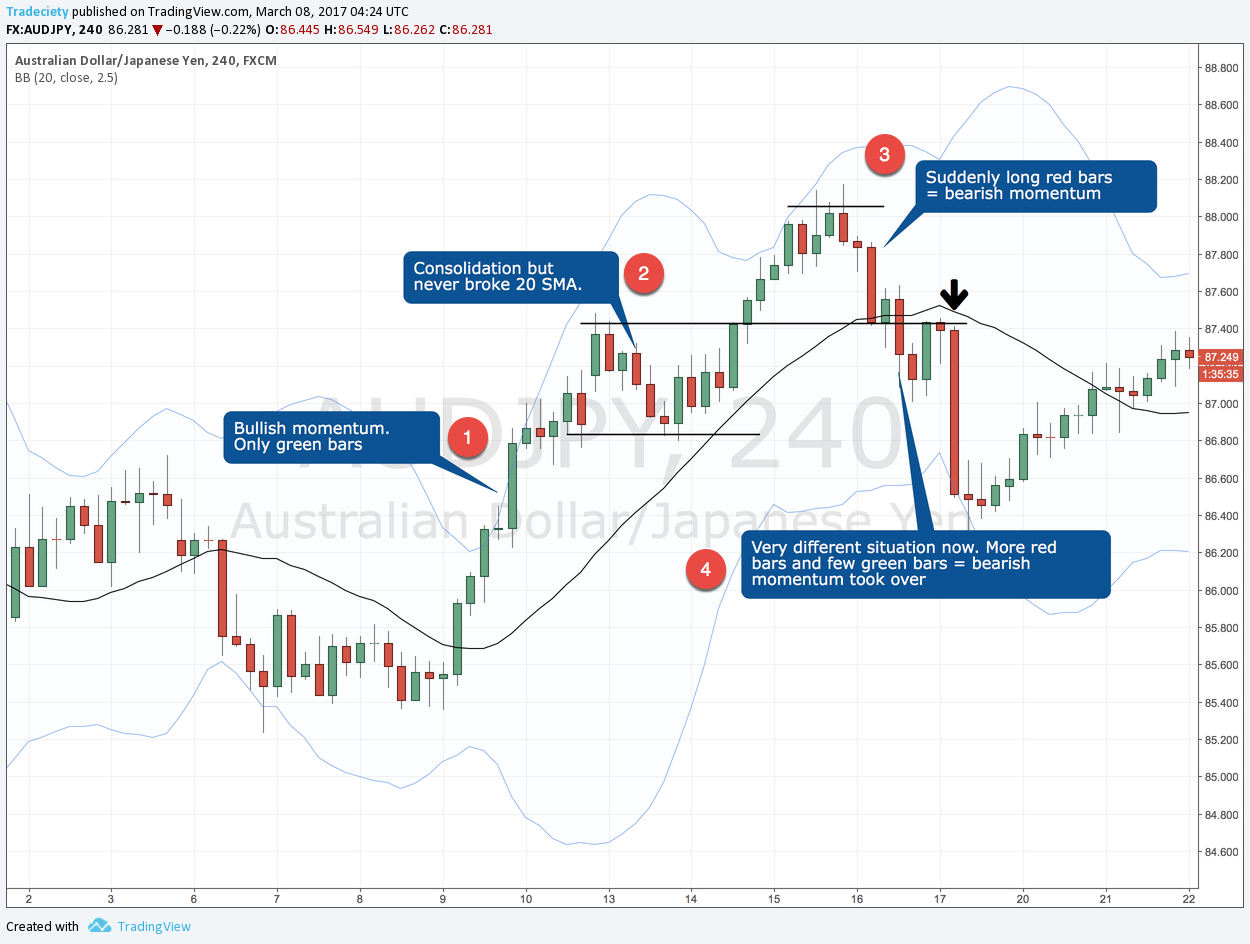
Momentum = “Giá tăng mạnh + Volume tăng mạnh” hoặc “Giá giảm mạnh + Volume tăng mạnh”.
Chiến lược Momentum hiệu quả khi:
- Có trend rõ
- MACD Histogram mở rộng
- Volume lớn hơn trung bình
2. Công thức Momentum bằng MACD Histogram
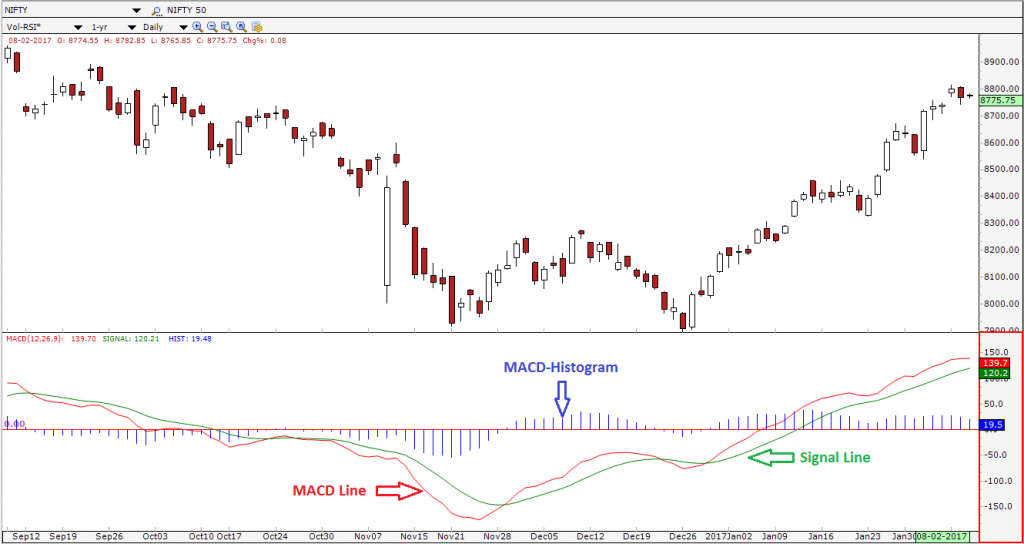
MACD Histogram:
Histogram = MACD line – Signal line
Ý nghĩa:
- Histogram tăng mạnh → xu hướng tăng có momentum
- Histogram giảm sâu → xu hướng giảm có momentum
3. Cài đặt thư viện
pip install ccxt pandas numpy python-dotenv
4. Lấy dữ liệu bằng CCXT
import ccxt, pandas as pd

binance = ccxt.binance({
    'options': {'defaultType': 'future'}
})

def fetch(symbol="BTC/USDT", tf="5m", limit=500):
    df = pd.DataFrame(
        binance.fetch_ohlcv(symbol, tf, limit=limit),
        columns=["time","open","high","low","close","volume"]
    )
    return df
5. Tính MACD Histogram + Volume trung bình
def indicators(df):
    df["EMA12"] = df["close"].ewm(span=12).mean()
    df["EMA26"] = df["close"].ewm(span=26).mean()
    df["MACD"] = df["EMA12"] - df["EMA26"]
    df["Signal"] = df["MACD"].ewm(span=9).mean()
    df["Hist"] = df["MACD"] - df["Signal"]

    df["VolMA20"] = df["volume"].rolling(20).mean()
    return df
6. Logic vào lệnh Bot Auto Trading Momentum

BUY khi:
- Histogram vượt lên trên 0
- Histogram tăng mạnh hơn 2 cây trước
- Volume > VolMA20
SELL khi:
- Histogram dưới 0
- Histogram giảm mạnh
- Volume > VolMA20
7. Tạo tín hiệu BUY/SELL Momentum
def momentum_signal(df):
    h0 = df["Hist"].iloc[-1]
    h1 = df["Hist"].iloc[-2]
    h2 = df["Hist"].iloc[-3]

    vol = df["volume"].iloc[-1]
    vol_ma = df["VolMA20"].iloc[-1]

    if h0 > 0 and h0 > h1 > h2 and vol > vol_ma:
        return "BUY"

    if h0 < 0 and h0 < h1 < h2 and vol > vol_ma:
        return "SELL"

    return "NONE"
8. Gửi lệnh vào Binance Futures


from binance.client import Client
from dotenv import load_dotenv
import os

load_dotenv()
client = Client(os.getenv("BINANCE_API_KEY"), os.getenv("BINANCE_API_SECRET"))

def send_order(symbol, signal, qty):
    if signal == "BUY":
        client.futures_create_order(symbol=symbol, side="BUY", type="MARKET", quantity=qty)
    if signal == "SELL":
        client.futures_create_order(symbol=symbol, side="SELL", type="MARKET", quantity=qty)
9. Full Code Bot Auto Trading Momentum (MACD + Volume)
symbol = "BTC/USDT"
qty = 0.01

df = fetch(symbol)
df = indicators(df)
signal = momentum_signal(df)

print("Signal:", signal)

if signal in ["BUY", "SELL"]:
    send_order(symbol, signal, qty)
Chạy bot liên tục:
import time

while True:
    df = fetch(symbol)
    df = indicators(df)
    signal = momentum_signal(df)

    print("Signal:", signal)

    if signal != "NONE":
        send_order(symbol, signal, qty)

    time.sleep(10)
10. Nâng cấp Bot Momentum (Pro Version)
📌 1. Thêm ATR Stop-loss
→ tránh fake momentum.
📌 2. Kết hợp Multi-Timeframe (H1 filter)
→ chỉ trade khi H1 đồng ý với hướng Momentum.
📌 3. Thêm điều kiện tránh sideway
Volume thấp → bỏ qua lệnh.
📌 4. Sử dụng Websocket realtime
→ chính xác hơn REST API.
📌 5. Dùng EMA9/EMA21 để lọc trend
Momentum + Trend = siêu mạnh.