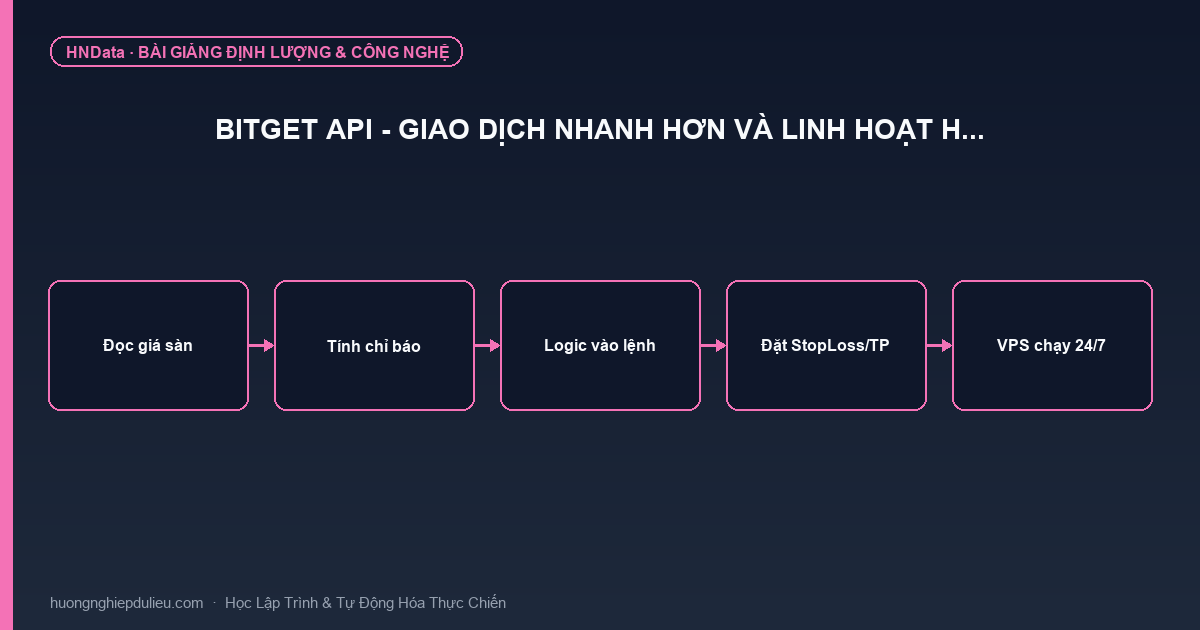
Bitget API – Giao dịch nhanh hơn và linh hoạt h…
Mục lục bài viết

Bitget API cho phép nhà phát triển thực hiện giao dịch theo lập trình, thu thập dữ liệu thị trường real-time, tích hợp dịch vụ giao dịch sao chép và đăng quảng cáo P2P. Đây là công cụ mạnh mẽ dành cho traders chuyên nghiệp, nhà phát triển bot giao dịch và các tổ chức muốn tự động hóa chiến lược giao dịch.
Giới thiệu Bitget API
Bitget API là gì?
Bitget API (Application Programming Interface) là tập hợp các endpoints và protocols cho phép các ứng dụng bên ngoài tương tác trực tiếp với hệ thống giao dịch của Bitget mà không cần thông qua giao diện web.
Lợi ích chính:
- ⚡ Tốc độ: Giao dịch tức thì, không delay từ UI
- 🤖 Tự động hóa: Chạy bot 24/7 không cần giám sát
- 📊 Dữ liệu real-time: WebSocket streaming data
- 🔧 Tùy biến: Xây dựng chiến lược riêng
- 💼 Chuyên nghiệp: Dành cho quant traders & institutions
Ai nên sử dụng Bitget API?
🎯 Đối tượng:
-
Quant Traders
- Chạy thuật toán giao dịch tự động
- Backtesting và optimization
- High-frequency trading (HFT)
-
Nhà phát triển Bot
- Market making bots
- Arbitrage bots
- Grid trading bots
- DCA (Dollar Cost Averaging) bots
-
Market Makers
- Cung cấp thanh khoản
- Earning maker rebates
- Low latency requirements
-
Nền tảng bên thứ ba
- Tích hợp Bitget vào app/website
- Chia sẻ thanh khoản
- White-label solutions
-
Tổ chức tài chính
- Portfolio management
- Custody solutions
- Institutional trading
Kiến trúc Bitget API
Quy trình hoạt động
┌─────────────┐
│   User      │
│  (Trader)   │
└──────┬──────┘
       │ 1. Đăng ký API Keys
       ↓
┌─────────────────┐
│  Bitget Portal  │
│  (Web Console)  │
└──────┬──────────┘
       │ 2. Generate Keys
       ↓
┌──────────────────────┐
│  API Key + Secret    │
│  + Passphrase        │
└──────┬───────────────┘
       │ 3. Implement in Code
       ↓
┌───────────────────────┐
│  Your Application     │
│  (Bot / Script)       │
└──────┬────────────────┘
       │ 4. API Requests
       ↓
┌────────────────────────┐
│  Bitget API Gateway    │
│  • Authentication      │
│  • Rate Limiting       │
│  • Load Balancing      │
└──────┬─────────────────┘
       │ 5. Execute
       ↓
┌─────────────────────────┐
│  Bitget Trading Engine  │
│  • Order Matching       │
│  • Position Management  │
│  • Risk Control         │
└──────┬──────────────────┘
       │ 6. Response
       ↓
┌──────────────────┐
│  Your App        │
│  (Process Data)  │
└──────────────────┘
Các loại Bitget API
1. 📊 Giao dịch Spot
API Thị trường (Market Data)
Public APIs – Không cần authentication:
- ✅ Ticker Data: Giá hiện tại, 24h high/low, volume
- ✅ Order Book: Depth chart, bid/ask levels
- ✅ Recent Trades: Lịch sử giao dịch gần đây
- ✅ Klines/Candlesticks: Dữ liệu nến theo timeframe
- ✅ 24h Stats: Thống kê giao dịch 24 giờ
Example endpoints:
GET /api/spot/v1/market/ticker
GET /api/spot/v1/market/depth
GET /api/spot/v1/market/trades
GET /api/spot/v1/market/candles
API Giao dịch (Trading)
Private APIs – Cần authentication:
- ✅ Place Order: Đặt lệnh mua/bán
- ✅ Cancel Order: Hủy lệnh
- ✅ Query Orders: Kiểm tra trạng thái lệnh
- ✅ Order History: Lịch sử giao dịch
- ✅ Account Balance: Số dư tài khoản
Example endpoints:
POST /api/spot/v1/trade/orders
DELETE /api/spot/v1/trade/cancel-order
GET /api/spot/v1/trade/open-orders
GET /api/spot/v1/account/assets
API P2P
Chức năng:
- Đăng quảng cáo mua/bán
- Quản lý đơn hàng P2P
- Tự động hóa P2P trading
API Giao dịch ký quỹ Spot
Margin Trading:
- Vay/Trả nợ
- Quản lý margin positions
- Interest calculation
WebSocket Market Data
Real-time streaming:
wss://ws.bitget.com/spot/v1/streamChannels:
- Ticker updates
- Order book updates (incremental)
- Trade stream
- Kline/Candlestick updates
2. 📈 Giao dịch Futures
API Thị trường Futures
Public data:
- Funding rates
- Mark price
- Index price
- Open interest
- Long/Short ratio
API Giao dịch Futures
Private trading:
- Open/Close positions
- Set leverage
- Manage stop loss/take profit
- Liquidation info
- PnL calculation
Example:
# Open long position
{
  "symbol": "BTCUSDT",
  "side": "open_long",
  "orderType": "market",
  "size": "0.1",  # 0.1 BTC
  "leverage": "10"
}
WebSocket Futures Market
Real-time futures data:
- Position updates
- Liquidation alerts
- Funding rate changes
3. 🔄 Giao dịch sao chép (Copy Trading)
API Copy Trading Futures
Chức năng cho Traders:
- Publish signals
- Manage followers
- Set profit sharing ratio
- Track performance
Chức năng cho Followers:
- Browse traders
- Copy positions automatically
- Set copy amount/ratio
- Risk management settings
API Copy Trading Spot
Tương tự futures nhưng cho spot trading
Use case:
Bạn có chiến lược giao dịch tốt? Publish lên Bitget và kiếm tiền từ followers copy bạn!
Hướng dẫn bắt đầu với Bitget API
Bước 1: Đăng ký tài khoản Bitget
Nếu chưa có tài khoản:
👉 Đăng ký Bitget ngay để nhận ưu đãi đặc biệt!
Hoàn thành KYC:
- Tải lên CMND/CCCD
- Xác minh khuôn mặt
- Thời gian: 5-10 phút
Bước 2: Tạo API Keys
Truy cập:
Bitget Website → Profile → API Management → Create APICấu hình API Key:
| Cài đặt | Khuyến nghị | Ghi chú |
|---|---|---|
| API Name | My Trading Bot | Tên mô tả |
| Passphrase | Strong password | Lưu an toàn |
| IP Whitelist | Your server IP | Bảo mật cao |
| Permissions | Read + Trade | Không enable Withdraw! |
Bạn sẽ nhận được:
API Key: Public identifierSecret Key: Private key (chỉ hiện 1 lần!)Passphrase: Bạn tự đặt
⚠️ LƯU Ý:
- Không bao giờ chia sẻ Secret Key
- Lưu trữ an toàn (password manager, vault)
- Không commit vào Git/GitHub
Bước 3: Chọn SDK hoặc REST API
Option 1: Sử dụng SDK (Khuyến nghị)
Bitget cung cấp SDK cho 5 ngôn ngữ:
- Python ⭐ (Phổ biến nhất)
- Java
- Go
- Node.js
- C#
Cài đặt Python SDK:
pip install bitget-apiOption 2: REST API trực tiếp
Nếu không có SDK cho ngôn ngữ của bạn:
- Sử dụng HTTP requests
- Cần implement authentication manually
- Tham khảo API documentation
Bước 4: Authentication
Bitget sử dụng HMAC SHA256 signature:
import hmac
import hashlib
import base64
import time

def generate_signature(secret_key, timestamp, method, request_path, body=''):
    """
    Generate Bitget API signature
    """
    message = timestamp + method.upper() + request_path + body
    mac = hmac.new(
        secret_key.encode('utf-8'),
        message.encode('utf-8'),
        hashlib.sha256
    )
    return base64.b64encode(mac.digest()).decode()

# Required headers
headers = {
    'ACCESS-KEY': api_key,
    'ACCESS-SIGN': signature,
    'ACCESS-TIMESTAMP': timestamp,
    'ACCESS-PASSPHRASE': passphrase,
    'Content-Type': 'application/json'
}
Bước 5: Test với ví dụ đơn giản
Python example – Lấy giá Bitcoin:
from bitget.spot_api import SpotAPI

# Initialize
api = SpotAPI(
    api_key='your_api_key',
    secret_key='your_secret_key',
    passphrase='your_passphrase'
)

# Get BTC/USDT ticker
ticker = api.get_ticker('BTCUSDT')
print(f"BTC Price: ${ticker['data']['close']}")

# Output:
# BTC Price: $67,432.50
Ví dụ thực tế
1. Bot DCA (Dollar Cost Averaging)
Mua BTC mỗi ngày với số tiền cố định:
import schedule
import time
from bitget.spot_api import SpotAPI

# Config
api = SpotAPI(api_key, secret_key, passphrase)
SYMBOL = 'BTCUSDT'
DAILY_AMOUNT = 100  # $100/day

def buy_btc():
    """Buy BTC with fixed USDT amount"""
    try:
        # Get current price
        ticker = api.get_ticker(SYMBOL)
        price = float(ticker['data']['close'])

        # Calculate quantity
        quantity = DAILY_AMOUNT / price

        # Place market buy order
        order = api.place_order(
            symbol=SYMBOL,
            side='buy',
            order_type='market',
            size=str(quantity)
        )

        print(f"✅ Bought {quantity:.6f} BTC at ${price:.2f}")
        print(f"Order ID: {order['data']['orderId']}")

    except Exception as e:
        print(f"❌ Error: {e}")

# Schedule: Run every day at 10:00 AM
schedule.every().day.at("10:00").do(buy_btc)

# Keep running
while True:
    schedule.run_pending()
    time.sleep(60)
2. Grid Trading Bot
Mua thấp, bán cao tự động:
class GridTradingBot:
    def __init__(self, symbol, lower_price, upper_price, grids=10):
        self.api = SpotAPI(api_key, secret_key, passphrase)
        self.symbol = symbol
        self.lower_price = lower_price
        self.upper_price = upper_price
        self.grids = grids
        self.grid_levels = self._calculate_grids()

    def _calculate_grids(self):
        """Calculate grid price levels"""
        step = (self.upper_price - self.lower_price) / self.grids
        return [self.lower_price + i * step for i in range(self.grids + 1)]

    def place_grid_orders(self):
        """Place buy and sell orders at each grid level"""
        for i, price in enumerate(self.grid_levels):
            # Place buy order
            if i > 0:  # Not at lowest level
                self.api.place_order(
                    symbol=self.symbol,
                    side='buy',
                    order_type='limit',
                    price=str(price),
                    size='0.01'  # Fixed size
                )

            # Place sell order
            if i < len(self.grid_levels) - 1:  # Not at highest
                self.api.place_order(
                    symbol=self.symbol,
                    side='sell',
                    order_type='limit',
                    price=str(price),
                    size='0.01'
                )

        print(f"✅ Placed {self.grids * 2} grid orders")

    def monitor_and_rebalance(self):
        """Check filled orders and rebalance grid"""
        while True:
            # Get filled orders
            fills = self.api.get_fills(self.symbol)

            for fill in fills['data']:
                # If buy order filled, place sell order above
                if fill['side'] == 'buy':
                    sell_price = float(fill['price']) * 1.01  # 1% above
                    self.api.place_order(
                        symbol=self.symbol,
                        side='sell',
                        order_type='limit',
                        price=str(sell_price),
                        size=fill['size']
                    )

                # If sell order filled, place buy order below
                elif fill['side'] == 'sell':
                    buy_price = float(fill['price']) * 0.99  # 1% below
                    self.api.place_order(
                        symbol=self.symbol,
                        side='buy',
                        order_type='limit',
                        price=str(buy_price),
                        size=fill['size']
                    )

            time.sleep(5)  # Check every 5 seconds

# Usage
bot = GridTradingBot(
    symbol='BTCUSDT',
    lower_price=60000,
    upper_price=70000,
    grids=20
)
bot.place_grid_orders()
bot.monitor_and_rebalance()
3. WebSocket Price Monitor
Theo dõi giá real-time và alert:
import websocket
import json

def on_message(ws, message):
    """Handle incoming WebSocket messages"""
    data = json.loads(message)

    if 'data' in data:
        ticker = data['data']
        symbol = ticker['symbol']
        price = float(ticker['last'])
        change_24h = float(ticker['priceChangePercent'])

        print(f"{symbol}: ${price:,.2f} ({change_24h:+.2f}%)")

        # Alert if big move
        if abs(change_24h) > 5:
            send_telegram_alert(f"🚨 {symbol} moved {change_24h:+.2f}%!")

def on_error(ws, error):
    print(f"❌ Error: {error}")

def on_close(ws):
    print("🔌 WebSocket closed")

def on_open(ws):
    """Subscribe to tickers"""
    subscribe = {
        "op": "subscribe",
        "args": [
            {"channel": "ticker", "instId": "BTCUSDT"},
            {"channel": "ticker", "instId": "ETHUSDT"},
            {"channel": "ticker", "instId": "SOLUSDT"}
        ]
    }
    ws.send(json.dumps(subscribe))
    print("✅ Subscribed to tickers")

# Connect to WebSocket
ws = websocket.WebSocketApp(
    "wss://ws.bitget.com/spot/v1/stream",
    on_message=on_message,
    on_error=on_error,
    on_close=on_close,
    on_open=on_open
)

# Run forever
ws.run_forever()
4. Arbitrage Bot
Kiếm lời từ chênh lệch giá giữa các markets:
class ArbitrageBot:
    def __init__(self):
        self.bitget_api = SpotAPI(api_key, secret_key, passphrase)
        # Có thể thêm API của sàn khác để so sánh

    def find_opportunities(self):
        """Tìm cơ hội arbitrage"""
        # Get prices from multiple exchanges
        bitget_btc = self.get_bitget_price('BTCUSDT')
        binance_btc = self.get_binance_price('BTCUSDT')

        # Calculate spread
        spread_pct = (binance_btc - bitget_btc) / bitget_btc * 100

        # If spread > threshold, execute arbitrage
        if abs(spread_pct) > 0.5:  # 0.5% threshold
            print(f"🎯 Arbitrage opportunity: {spread_pct:.2f}%")

            if spread_pct > 0:
                # Buy on Bitget, sell on Binance
                self.execute_arbitrage('buy', 'Bitget', 'Binance')
            else:
                # Buy on Binance, sell on Bitget
                self.execute_arbitrage('buy', 'Binance', 'Bitget')

    def execute_arbitrage(self, side, exchange1, exchange2):
        """Execute arbitrage trade"""
        amount = 0.01  # BTC

        # Buy on exchange1
        self.bitget_api.place_order(
            symbol='BTCUSDT',
            side='buy',
            order_type='market',
            size=str(amount)
        )

        # Sell on exchange2 (code similar)
        # ...

        print(f"✅ Arbitrage executed: Buy {exchange1}, Sell {exchange2}")
Giải pháp cho các tổ chức
1. 🏦 Nhà tạo lập thị trường (Market Makers)
Lợi ích đặc biệt:
✅ Tỷ lệ funding tốt hơn
- Negative maker fees (được trả tiền khi tạo thanh khoản)
- Custom fee tiers
- Volume-based discounts
✅ Độ trễ thấp hơn
- Co-location options
- Dedicated API endpoints
- Priority order matching
✅ Giới hạn giao dịch cao hơn
- Higher rate limits
- Bulk operations
- Custom order types
Liên hệ: Business Development team để được hỗ trợ
2. 📊 Giao dịch định lượng (Quant Trading)
Dịch vụ miễn phí:
✅ API chuẩn hóa
- REST API documentation đầy đủ
- WebSocket for real-time data
- Historical data access
✅ SDK bằng 5 ngôn ngữ
- Python, Java, Go, Node.js, C#
- Actively maintained
- Code examples & tutorials
✅ Dịch vụ khách hàng 24/7
- Dedicated support channel
- Technical assistance
- API status monitoring
Bắt đầu:
👉 Tạo khóa API ngay
3. 🔗 Nền tảng bên thứ ba
Tích hợp Bitget:
✅ Chia sẻ thanh khoản
- Access to Bitget’s deep liquidity
- Competitive pricing
- Multi-asset support
✅ Tích hợp giao dịch sao chép
- White-label copy trading
- Revenue sharing model
- Customize UI/UX
✅ Mô hình môi giới bảo mật
- Sub-account management
- Custom branding
- Compliance support
Liên hệ BD: partnership@bitget.com
Best Practices
1. Bảo mật
🔐 Quản lý API Keys:
- ✅ Không hardcode keys trong source code
- ✅ Sử dụng environment variables
- ✅ Rotate keys định kỳ (mỗi 3-6 tháng)
- ✅ Whitelist IP addresses
- ✅ Chỉ enable permissions cần thiết
- ❌ KHÔNG BAO GIỜ enable Withdraw permission
Example – Load keys từ .env:
import os
from dotenv import load_dotenv

load_dotenv()

api_key = os.getenv('BITGET_API_KEY')
secret_key = os.getenv('BITGET_SECRET_KEY')
passphrase = os.getenv('BITGET_PASSPHRASE')
2. Error Handling
🛡️ Xử lý lỗi đúng cách:
import time
from requests.exceptions import RequestException

def safe_api_call(func, max_retries=3):
    """Wrapper for API calls with retry logic"""
    for attempt in range(max_retries):
        try:
            return func()
        except RequestException as e:
            if attempt < max_retries - 1:
                wait_time = 2 ** attempt  # Exponential backoff
                print(f"⚠️ API error, retrying in {wait_time}s...")
                time.sleep(wait_time)
            else:
                print(f"❌ API call failed after {max_retries} attempts")
                raise e

# Usage
result = safe_api_call(lambda: api.get_ticker('BTCUSDT'))
3. Rate Limiting
⏱️ Tuân thủ rate limits:
Bitget rate limits:
- Public APIs: 20 requests/second
- Private APIs: 10 requests/second
- WebSocket: 200 subscriptions
Implement rate limiter:
import time
from collections import deque

class RateLimiter:
    def __init__(self, max_calls, period):
        self.max_calls = max_calls
        self.period = period
        self.calls = deque()

    def __call__(self, func):
        def wrapper(*args, **kwargs):
            now = time.time()

            # Remove old calls
            while self.calls and self.calls[0] < now - self.period:
                self.calls.popleft()

            # Check if we can make a call
            if len(self.calls) >= self.max_calls:
                sleep_time = self.period - (now - self.calls[0])
                print(f"⏳ Rate limit reached, sleeping {sleep_time:.2f}s")
                time.sleep(sleep_time)

            # Make the call
            self.calls.append(time.time())
            return func(*args, **kwargs)

        return wrapper

# Usage
@RateLimiter(max_calls=10, period=1)  # 10 calls per second
def get_ticker(symbol):
    return api.get_ticker(symbol)
4. Logging
📝 Log mọi thứ:
import logging
from datetime import datetime

# Setup logger
logging.basicConfig(
    level=logging.INFO,
    format='%(asctime)s - %(levelname)s - %(message)s',
    handlers=[
        logging.FileHandler(f'bot_{datetime.now().strftime("%Y%m%d")}.log'),
        logging.StreamHandler()
    ]
)

logger = logging.getLogger(__name__)

# Log orders
def place_order_with_logging(symbol, side, size):
    logger.info(f"Placing order: {side} {size} {symbol}")

    try:
        order = api.place_order(symbol, side, 'market', size)
        logger.info(f"✅ Order placed: ID={order['data']['orderId']}")
        return order
    except Exception as e:
        logger.error(f"❌ Order failed: {e}")
        raise
5. Testing
🧪 Test trước khi deploy:
Testnet:
# Bitget Testnet
TESTNET_API_URL = 'https://testnet.bitget.com'

# Use testnet API keys
testnet_api = SpotAPI(
    api_key='testnet_key',
    secret_key='testnet_secret',
    passphrase='testnet_pass',
    base_url=TESTNET_API_URL
)

# Test strategies with fake money
Unit tests:
import unittest

class TestTradingBot(unittest.TestCase):
    def test_calculate_position_size(self):
        bot = TradingBot()
        size = bot.calculate_position_size(
            balance=1000,
            risk_percent=1,
            entry_price=50000,
            stop_loss=49000
        )
        self.assertAlmostEqual(size, 0.2, places=2)

    def test_should_enter_long(self):
        bot = TradingBot()
        # Test with mock data
        self.assertTrue(bot.should_enter_long(mock_data))

if __name__ == '__main__':
    unittest.main()
Tài nguyên học tập
Documentation
📚 Official Docs:
- Bitget API Documentation
- SDK Repositories on GitHub
- Postman Collection
- Swagger/OpenAPI spec
Community
👥 Cộng đồng:
- Telegram: Bitget API Support
- Discord: Developer Channel
- GitHub Issues
- Stack Overflow tag: bitget-api
Tutorials
🎓 Hướng dẫn:
- YouTube: Bitget API Tutorials
- Medium: Trading bot guides
- GitHub: Example repositories
- This blog: More advanced guides coming!
Performance Tips
1. Optimize Network Calls
❌ Bad:
# Multiple sequential calls
for symbol in ['BTCUSDT', 'ETHUSDT', 'SOLUSDT']:
    ticker = api.get_ticker(symbol)
    print(ticker)
✅ Good:
# Batch request (if supported) or parallel
import concurrent.futures

def get_ticker(symbol):
    return api.get_ticker(symbol)

symbols = ['BTCUSDT', 'ETHUSDT', 'SOLUSDT']

with concurrent.futures.ThreadPoolExecutor() as executor:
    results = list(executor.map(get_ticker, symbols))
2. Use WebSocket for Real-time Data
❌ Polling (inefficient):
while True:
    price = api.get_ticker('BTCUSDT')
    time.sleep(1)  # Wait 1 second
✅ WebSocket (efficient):
# Subscribe once, receive updates as they happen
ws.subscribe('ticker', 'BTCUSDT')
# No polling needed!
3. Cache Static Data
Example:
from functools import lru_cache
import time

@lru_cache(maxsize=100)
def get_symbol_info(symbol, cache_time=3600):
    """Cache symbol info for 1 hour"""
    return api.get_symbol_info(symbol)

# First call: API request
info = get_symbol_info('BTCUSDT')

# Subsequent calls: from cache
info = get_symbol_info('BTCUSDT')  # No API call!
Troubleshooting
Common Errors
1. Authentication Failed
Error: signature verification failedSolution:
- Check API keys are correct
- Verify timestamp is in correct format
- Ensure passphrase matches
2. Rate Limit Exceeded
Error: Too many requestsSolution:
- Implement rate limiter
- Reduce request frequency
- Use WebSocket instead of polling
3. Insufficient Balance
Error: Insufficient balance for orderSolution:
- Check account balance
- Consider fees (maker/taker)
- Reduce order size
4. Order Rejected
Error: Order size too smallSolution:
- Check min order size for symbol
- Increase quantity
- Verify decimals precision
Kết luận
Bitget API là công cụ mạnh mẽ giúp bạn:
✅ Tự động hóa giao dịch 24/7 không cần giám sát
✅ Xây dựng bot với chiến lược tùy chỉnh
✅ Truy cập dữ liệu real-time qua WebSocket
✅ Tích hợp dịch vụ vào app/platform của bạn
✅ Scale up với giải pháp dành cho tổ chức
Bắt đầu ngay hôm nay:
- Đăng ký Bitget account
- Tạo API keys
- Download SDK hoặc read docs
- Test với testnet
- Deploy chiến lược của bạn!
Bắt đầu với Bitget API
Bạn đã sẵn sàng xây dựng bot giao dịch chuyên nghiệp? Đăng ký Bitget ngay để tạo API keys!
Bitget – Top 3 sàn giao dịch crypto lớn nhất thế giới với:
🎯 API Features
✅ API mạnh mẽ & ổn định
- 99.9% uptime SLA
- Low latency < 50ms
- Rate limits generous
✅ Documentation đầy đủ
- REST API docs
- WebSocket guides
- SDK cho 5 ngôn ngữ
- Code examples
✅ Support 24/7
- Dedicated API support
- Technical assistance
- Developer community
- Quick response
✅ Free for all users
- Không phí API
- Không phí data
- Chỉ trả trading fees thông thường
🛡️ Bảo mật & Reliability
- ✅ Bảo mật cấp độ tổ chức
- ✅ Insurance fund $300M+
- ✅ Giấy phép 8+ quốc gia
- ✅ IP whitelist
- ✅ 2FA/Passphrase required
Nâng cao kỹ năng với Bootcamp Blockchain Mastery
Bạn muốn học cách xây dựng bot giao dịch chuyên nghiệp? Tham gia Bootcamp Blockchain Mastery – khóa học toàn diện về trading bots và automation!

🎯 Module về Trading Bots & API:
1. Python cho Trading
- ✅ Cơ bản về Python
- ✅ Libraries: pandas, numpy, requests
- ✅ WebSocket programming
- ✅ Async/await patterns
2. Bitget API Master
- ✅ REST API từ A-Z
- ✅ WebSocket real-time data
- ✅ Authentication & Security
- ✅ Error handling & retry logic
3. Xây dựng Trading Bots
- ✅ DCA Bot
- ✅ Grid Trading Bot
- ✅ Arbitrage Bot
- ✅ Market Making Bot
- ✅ Copy Trading Bot
4. Chiến lược giao dịch
- ✅ Technical indicators (RSI, MACD, MA)
- ✅ Backtesting strategies
- ✅ Risk management
- ✅ Position sizing
- ✅ Portfolio optimization
5. Deployment & Monitoring
- ✅ VPS setup (AWS, DigitalOcean)
- ✅ Docker containers
- ✅ Logging & monitoring
- ✅ Alert systems (Telegram, Email)
- ✅ Performance tracking
6. Advanced Topics
- ✅ High-frequency trading (HFT)
- ✅ Machine learning for trading
- ✅ Multi-exchange arbitrage
- ✅ Options trading bots
- ✅ Portfolio rebalancing
🎓 Đối tượng phù hợp:
- Developer muốn build trading bots
- Trader muốn tự động hóa
- Quant analysts
- Fintech enthusiasts
- Anyone interested in algo trading
💼 Sau khóa học:
- Xây dựng bot riêng profitable
- Freelance bot development
- Work cho hedge funds
- Start own prop trading
- Passive income từ bots
📞 Đăng ký ngay:
👉 Tìm hiểu thêm về Bootcamp Blockchain Mastery
Ưu đãi:
- 🎁 50% off cho 10 người đầu
- 📚 Tặng template 5 trading bots
- 🤝 Mentoring 1-1
- 💼 Job referrals
Bài viết này được biên soạn bởi đội ngũ Hướng Nghiệp Công Nghệ. Để cập nhật thêm kiến thức về trading bots, API integration và automation, hãy theo dõi blog của chúng tôi.
Tags: #BitgetAPI #TradingBot #Automation #Python #QuantTrading #AlgoTrading #Cryptocurrency
1. Tổng quan — Bitget API là gì và ai nên dùng
Bitget API (Application Programming Interface) là tập hợp các endpoints và protocols cho phép các ứng dụng bên ngoài tương tác trực tiếp với hệ thống giao dịch của Bitget mà không cần thông qua giao diện web. Nó cho phép nhà phát triển thực hiện giao dịch theo lập trình, thu thập dữ liệu thị trường real-time, tích hợp dịch vụ giao dịch sao chép và đăng quảng cáo P2P.
Đây là công cụ mạnh mẽ dành cho traders chuyên nghiệp, nhà phát triển bot giao dịch và các tổ chức muốn tự động hóa chiến lược giao dịch. Bài viết này mở rộng kiến thức về Bitget API — từ kiến trúc, xác thực, đến ví dụ code Python thực tế.
Lợi ích chính:
- ⚡ Tốc độ: Giao dịch tức thì, không delay từ UI.
- 🤖 Tự động hóa: Chạy bot 24/7 không cần giám sát.
- 📊 Dữ liệu real-time: WebSocket streaming data.
- 🔧 Tùy biến: Xây dựng chiến lược riêng.
- 💼 Chuyên nghiệp: Dành cho quant traders & institutions.
2. Ai nên sử dụng Bitget API?
- Quant Traders — chạy thuật toán tự động, backtesting và optimization, high-frequency trading.
- Nhà phát triển Bot — market making bots, arbitrage bots, grid trading bots, DCA bots.
- Market Makers — cung cấp thanh khoản, earning maker rebates, low latency requirements.
- Nền tảng bên thứ ba — tích hợp Bitget vào app/website, chia sẻ thanh khoản, white-label solutions.
- Tổ chức tài chính — portfolio management, custody solutions, institutional trading.
3. Kiến trúc Bitget API
Bitget API được chia thành các nhóm chính, mỗi nhóm phục vụ mục đích khác nhau:
| Nhóm API | Chức năng | Endpoint ví dụ |
|---|---|---|
| Market Data | Giá, nến, orderbook (công khai) | /api/v2/spot/market/tickers |
| Trading | Đặt/hủy/sửa lệnh, xem lệnh | /api/v2/spot/trade/place-order |
| Account | Số dư, lịch sử, phí | /api/v2/spot/account/assets |
| WebSocket | Stream giá realtime, order update | wss://ws.bitget.com/spot/v1/stream |
| Copy Trading | Quản lý giao dịch sao chép | /api/v2/copy/... |
4. Xác thực API — API Key, Secret, Passphrase
Khác với nhiều sàn khác, Bitget yêu cầu 3 thông tin để xác thực:
- API Key — định danh tài khoản.
- Secret Key — dùng để ký (sign) request.
- Passphrase — thêm một lớp bảo mật.
# [TẠO API KEY - CÁC BƯỚC]
# 1. Đăng nhập Bitget -> API Management
# 2. Tạo API Key mới
# 3. Cấu hình quyền (spot, futures...)
# 4. Giới hạn IP (khuyến nghị)
# 5. Lưu API Key, Secret, Passphrase an toàn (không commit git)
5. Ví dụ code Python với Bitget API
Dưới đây là ví dụ gọi API công khai (không cần key) để lấy giá và nến:
# [LẤY GIÁ - PYTHON]
import requests

BASE = "https://api.bitget.com"

# Lấy ticker giá BTCUSDT
r = requests.get(f"{BASE}/api/v2/spot/market/tickers",
                 params={"symbol": "BTCUSDT"}, timeout=10)
data = r.json()
print("BTC/USDT:", data)

# Lấy nến (candles)
r2 = requests.get(f"{BASE}/api/v2/spot/market/candles",
                  params={"symbol": "BTCUSDT", "granularity": "1h", "limit": "10"},
                  timeout=10)
print("Nến:", r2.json())
6. Đặt lệnh với API private — cần ký request
Với API private, mỗi request phải được ký bằng HMAC SHA256. Đây là pattern chuẩn:
# [KÝ REQUEST - PYTHON]
import time, hmac, hashlib, base64
import requests

API_KEY = "YOUR_KEY"
SECRET = "YOUR_SECRET"
PASSPHRASE = "YOUR_PASSPHRASE"
BASE = "https://api.bitget.com"

def sign(timestamp, method, path, body=""):
    message = timestamp + method + path + body
    mac = hmac.new(SECRET.encode(), message.encode(), hashlib.sha256)
    return base64.b64encode(mac.digest()).decode()

def private_request(method, path, params=None, body=""):
    ts = str(int(time.time() * 1000))
    # Sắp xếp params thành query string
    query = "&".join(f"{k}={v}" for k, v in sorted((params or {}).items()))
    full_path = path + ("?" + query if query else "")
    headers = {
        "ACCESS-KEY": API_KEY,
        "ACCESS-SIGN": sign(ts, method.upper(), full_path, body),
        "ACCESS-TIMESTAMP": ts,
        "ACCESS-PASSPHRASE": PASSPHRASE,
        "Content-Type": "application/json",
    }
    url = BASE + full_path
    if method.upper() == "GET":
        return requests.get(url, headers=headers, timeout=10)
    return requests.post(url, headers=headers, json=body, timeout=10)

# Ví dụ xem số dư
resp = private_request("GET", "/api/v2/spot/account/assets")
print(resp.json())
Lưu ý: timestamp phải gần với thời gian server (chênh lệch quá lớn sẽ bị từ chối). Thư viện như pybitget hoặc ccxt đã xử lý phần ký này — bạn nên dùng chúng cho dự án thực tế.
7. Dùng ccxt để kết nối Bitget — đơn giản hơn
# [CCXT + BITGET - PYTHON]
import ccxt

exchange = ccxt.bitget({
    "apiKey": API_KEY,
    "secret": SECRET,
    "password": PASSPHRASE,  # passphrase
    "enableRateLimit": True,
})
# Lấy giá
ticker = exchange.fetch_ticker("BTC/USDT")
print("BTC:", ticker["last"])
# Lấy nến
ohlcv = exchange.fetch_ohlcv("BTC/USDT", "1h", limit=10)
print("Nến:", ohlcv[-1])
CCXT chuẩn hóa hàng trăm sàn — nếu bạn đã quen dùng CCXT cho Binance, việc chuyển sang Bitget chỉ thay đổi vài dòng cấu hình.
8. WebSocket — dữ liệu realtime
Với bot cần độ trễ thấp, WebSocket là lựa chọn đúng đắn. Bitget cung cấp stream giá và cập nhật lệnh realtime:
# [WEBSOCKET - PYTHON]
# import websocket
# ws = websocket.WebSocket()
# ws.connect("wss://ws.bitget.com/spot/v1/stream")
# Gửi subscribe: {"op": "subscribe", "args": ["ticker:BTCUSDT"]}
# Nhận dữ liệu giá liên tục, độ trễ thấp
9. Bảo mật API — quy tắc vàng
- Không bao giờ commit API Key, Secret, Passphrase lên GitHub.
- Giới hạn IP cho API key (chỉ IP VPS của bạn).
- Chỉ cấp quyền tối thiểu cần thiết (spot/futures theo nhu cầu).
- Tắt quyền rút tiền nếu không cần.
- Rotate key định kỳ, thu hồi khi không dùng.
10. FAQ — Bitget API
Bitget API có miễn phí không? Có — API miễn phí; bạn chỉ trả phí giao dịch theo cấu trúc phí của sàn.
Nên dùng ccxt hay gọi API trực tiếp? Với người mới, dùng ccxt để nhanh và ít lỗi. Khi cần kiểm soát sâu hoặc tính năng riêng của Bitget (copy trading), gọi API trực tiếp.
API có hỗ trợ futures không? Có — Bitget nổi tiếng với derivatives; có các endpoint riêng cho futures/swap.
Học ở đâu? Xem tài liệu chính thức Bitget + khóa bot trading thực chiến của HNDL.
11. Kết luận
Bitget API mạnh mẽ và linh hoạt cho việc tự động hóa giao dịch. Với kiến thức về xác thực, endpoint và WebSocket, bạn có thể xây bot market making, arbitrage, grid hay DCA. Bắt đầu với dữ liệu công khai, sau đó nâng cấp dần lên giao dịch thật (hoặc testnet nếu có).
📖 Xem thêm: Lập trình bot trading là gì? · Xây dựng IB bằng Bot Auto Trading

Bài viết liên quan