Phát triển DApps – Xây dựng Ứng dụng Phi tập trung
Mục lục bài viết


Phát triển DApps – Xây dựng Ứng dụng Phi tập trung
DApps (Decentralized Applications) là ứng dụng chạy trên blockchain, kết hợp smart contracts với frontend. Bài viết này hướng dẫn xây dựng DApp hoàn chỉnh từ đầu đến cuối.
DApp là gì?
Decentralized Application
DApp là ứng dụng:
- Backend: Smart contracts trên blockchain
- Frontend: Web interface tương tác với blockchain
- Storage: IPFS hoặc decentralized storage
- No Central Server: Không có server trung tâm
Đặc điểm của DApp
- Open Source: Code công khai
- Decentralized: Không có điểm thất bại đơn
- Incentivized: Token rewards cho users
- Protocol: Sử dụng cryptographic protocol
Web3 Development Stack
Frontend Technologies
- React/Vue/Angular: UI frameworks
- Web3.js / Ethers.js: Kết nối với blockchain
- MetaMask: Wallet provider
- IPFS: Decentralized storage
Backend Technologies
- Smart Contracts: Solidity
- The Graph: Decentralized indexing
- Alchemy/Infura: Blockchain node providers
Web3.js vs Ethers.js
Web3.js
const Web3 = require('web3');
const web3 = new Web3(window.ethereum);

const contract = new web3.eth.Contract(ABI, CONTRACT_ADDRESS);

await contract.methods.getValue().call();
await contract.methods.setValue(100).send({from: accounts[0]});
Ethers.js (Recommended)
const { ethers } = require('ethers');

const provider = new ethers.providers.Web3Provider(window.ethereum);
const signer = provider.getSigner();
const contract = new ethers.Contract(CONTRACT_ADDRESS, ABI, signer);

await contract.getValue();
await contract.setValue(100);
So sánh
| Feature | Web3.js | Ethers.js |
|---|---|---|
| API Design | Callback-based | Promise-based |
| Bundle Size | Larger | Smaller |
| TypeScript | Partial | Full support |
| Active Dev | Slower | Faster |
Connecting Wallet (MetaMask)
Setup MetaMask
- Install MetaMask extension
- Create wallet
- Get network details
- Fund wallet với test tokens
Connect Wallet trong DApp
// Check if MetaMask is installed
if (typeof window.ethereum !== 'undefined') {
    // Request account access
    await window.ethereum.request({
        method: 'eth_requestAccounts'
    });

    const provider = new ethers.providers.Web3Provider(window.ethereum);
    const signer = provider.getSigner();
    const address = await signer.getAddress();
}
Listen to Account Changes
window.ethereum.on('accountsChanged', (accounts) => {
    // Handle account change
    updateUI(accounts[0]);
});

window.ethereum.on('chainChanged', (chainId) => {
    // Handle network change
    window.location.reload();
});
Reading Blockchain Data
Read from Contract
// Simple read
const value = await contract.getValue();

// Read with parameters
const balance = await contract.balanceOf(userAddress);

// Read multiple values
const [name, symbol, totalSupply] = await Promise.all([
    contract.name(),
    contract.symbol(),
    contract.totalSupply()
]);
Event Listening
// Listen to events
contract.on('Transfer', (from, to, value) => {
    console.log(`Transfer: ${from} -> ${to}: ${value}`);
});

// Query past events
const filter = contract.filters.Transfer(fromAddress, null);
const events = await contract.queryFilter(filter, fromBlock, toBlock);
Sending Transactions
Send Transaction
// Simple transaction
const tx = await contract.setValue(100);
await tx.wait(); // Wait for confirmation

// Transaction with options
const tx = await contract.transfer(toAddress, amount, {
    gasLimit: 100000,
    gasPrice: ethers.utils.parseUnits('20', 'gwei')
});

const receipt = await tx.wait();
console.log('Transaction hash:', receipt.transactionHash);
Error Handling
try {
    const tx = await contract.setValue(100);
    await tx.wait();
} catch (error) {
    if (error.code === 4001) {
        console.log('User rejected transaction');
    } else if (error.code === -32603) {
        console.log('Transaction failed');
    }
}
IPFS và Decentralized Storage
IPFS là gì?
IPFS (InterPlanetary File System) là protocol để lưu trữ và chia sẻ files trong peer-to-peer network.
Upload File to IPFS
// Using ipfs-http-client
const { create } = require('ipfs-http-client');
const ipfs = create({ url: 'https://ipfs.infura.io:5001' });

// Upload file
const file = document.querySelector('#fileInput').files[0];
const added = await ipfs.add(file);
const ipfsHash = added.path;

// Store hash on blockchain
await contract.storeHash(ipfsHash);
Retrieve from IPFS
// Get hash from blockchain
const ipfsHash = await contract.getHash();

// Fetch from IPFS
const response = await fetch(`https://ipfs.io/ipfs/${ipfsHash}`);
const data = await response.json();
Alternatives to IPFS
- Arweave: Permanent storage
- Filecoin: Decentralized storage network
- Swarm: Ethereum native storage
DApp Architecture Patterns
Frontend-Backend Separation
Frontend (React)
    ↓
Web3 Provider (MetaMask)
    ↓
Blockchain (Ethereum)
    ↓
Smart Contracts
Indexing với The Graph
# GraphQL query
{
  transfers(where: {from: "0x..."}) {
    id
    from
    to
    value
    timestamp
  }
}
Building a Complete DApp
Project Structure
my-dapp/
├── contracts/
│   └── MyContract.sol
├── frontend/
│   ├── src/
│   │   ├── App.js
│   │   ├── components/
│   │   └── utils/
│   └── package.json
├── scripts/
│   └── deploy.js
└── hardhat.config.js
Example: Simple Voting DApp
Smart Contract
contract Voting {
    mapping(address => bool) public hasVoted;
    mapping(string => uint256) public votes;
    string[] public candidates;

    function vote(string memory candidate) public {
        require(!hasVoted[msg.sender], "Already voted");
        votes[candidate]++;
        hasVoted[msg.sender] = true;
    }
}
Frontend Integration
const vote = async (candidate) => {
    try {
        const tx = await contract.vote(candidate);
        await tx.wait();
        alert('Vote submitted!');
        loadResults();
    } catch (error) {
        console.error(error);
    }
};

const loadResults = async () => {
    const candidates = await contract.getCandidates();
    const results = {};
    for (let candidate of candidates) {
        results[candidate] = await contract.votes(candidate);
    }
    setResults(results);
};
Testing DApps
Unit Testing
describe('Voting DApp', () => {
    it('Should allow voting', async () => {
        await contract.vote('Candidate1');
        const votes = await contract.votes('Candidate1');
        expect(votes).to.equal(1);
    });
});
Integration Testing
- Test với test networks (Sepolia, Goerli)
- Test wallet interactions
- Test error scenarios
- Test UI responsiveness
Deployment và Hosting
Deploy Smart Contract
// Hardhat deployment
npx hardhat run scripts/deploy.js --network sepolia
Frontend Hosting
- Vercel: Easy deployment
- Netlify: Static hosting
- IPFS: Fully decentralized
- Fleek: IPFS + Domain
Environment Variables
REACT_APP_CONTRACT_ADDRESS=0x...
REACT_APP_RPC_URL=https://sepolia.infura.io/...
Best Practices
UX Best Practices
- Show transaction status
- Display gas estimates
- Handle network switching
- Provide clear error messages
- Loading states
Security Best Practices
- Validate user inputs
- Check network before transactions
- Verify contract addresses
- Use environment variables for configs
- Implement rate limiting
Performance Optimization
- Batch RPC calls
- Cache blockchain data
- Use React hooks efficiently
- Implement pagination
- Optimize images và assets
Kết luận
Xây dựng DApps kết hợp nhiều kỹ năng: smart contract development, frontend development, và Web3 integration. Hiểu rõ các concepts và patterns sẽ giúp bạn xây dựng DApps mạnh mẽ và user-friendly.
Tiếp tục học về DeFi trong Bootcamp Blockchain Mastery!

Bài viết liên quan
Tin tức
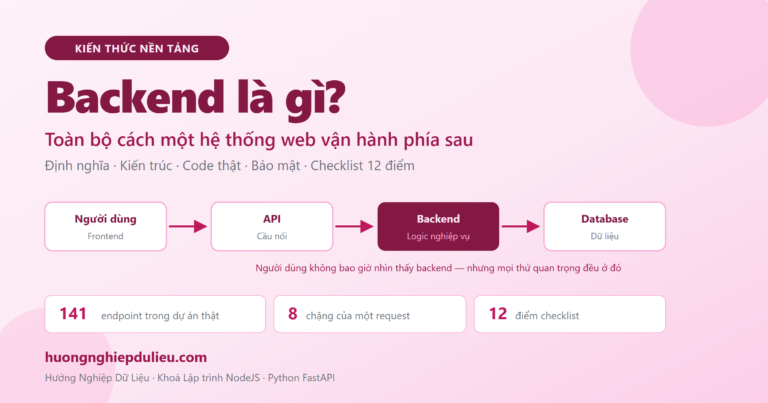
Backend là gì? Toàn bộ cách một hệ thống web vận hành phía sau
01/10/2026
Tin tức
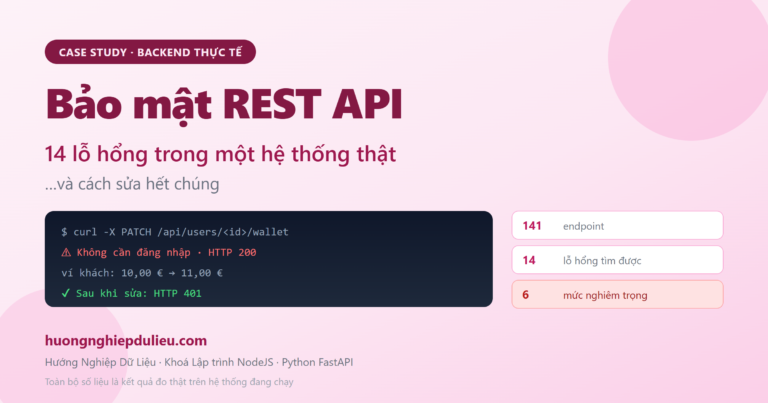
Bảo mật REST API: 14 lỗ hổng tôi tìm thấy trong một hệ thống thật và cách sửa hết
01/10/2026
Tin tức
FastAPI – Framework Python Hiện Đại Cho API Development
26/09/2026