Kết Nối TradingView → FastAPI → Execution Engine Cho Bot Auto Trading
Mục lục bài viết
Kết Nối TradingView → FastAPI → Execution Engine Cho Bot Auto Trading
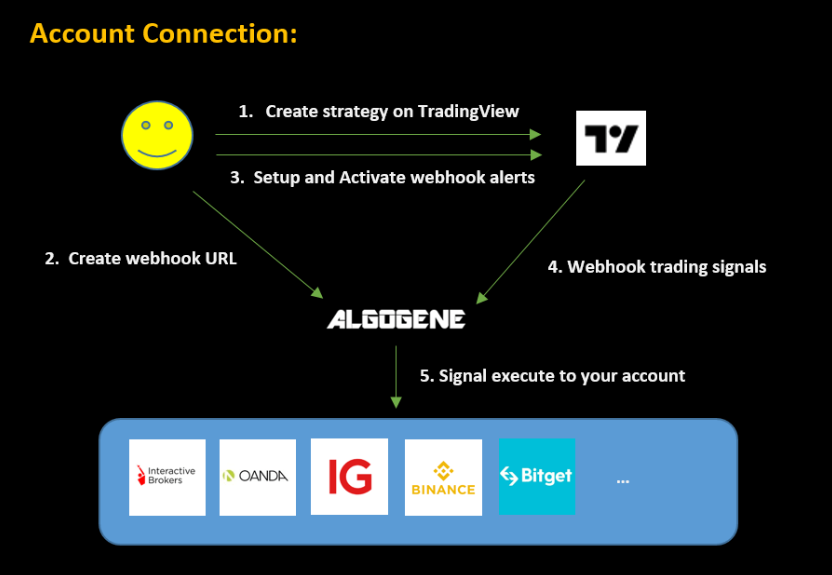
Trong mô hình giao dịch định lượng hiện đại, một trong những quy trình quan trọng nhất là:
TradingView gửi tín hiệu → FastAPI nhận → Risk Engine xử lý → Execution Engine đặt lệnh
Đây là nền tảng của các hệ thống Auto Trading: Crypto, Forex và Chứng khoán.
Bài này hướng dẫn bạn:
- Tạo webhook TradingView
- Format payload chuẩn
- Gửi tín hiệu vào FastAPI
- Xử lý rủi ro
- Đặt lệnh bằng ccxt và MT5
- Tránh spam tín hiệu
- Tạo pipeline xử lý theo hàng đợi (Queue)
- Kiểm tra trạng thái bot realtime
1. Kiến trúc tổng quan của hệ thống Signal → Bot
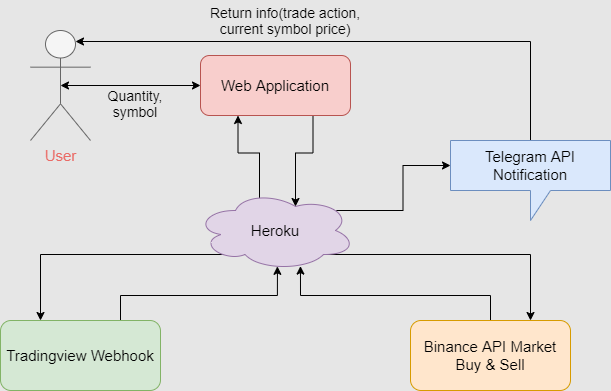

Kiến trúc chuẩn:
TradingView Strategy
       ↓
Webhook (JSON POST)
       ↓
FastAPI Webhook Endpoint
       ↓
Risk Engine (DD, TP/SL, Position Control)
       ↓
Execution Engine (ccxt / MT5)
       ↓
Exchange
       ↓
Logging → Telegram Alerts → Database
2. Tạo chiến lược Pine Script gửi tín hiệu Webhook
Mẫu Pine Script Strategy
//@version=5
strategy("HNData Bot Auto Trading", overlay=true, process_orders_on_close=true)

// Ví dụ tín hiệu đơn giản
emaFast = ta.ema(close, 20)
emaSlow = ta.ema(close, 50)

longSignal  = ta.crossover(emaFast, emaSlow)
shortSignal = ta.crossunder(emaFast, emaSlow)

if (longSignal)
    strategy.entry("Buy", strategy.long)

if (shortSignal)
    strategy.entry("Sell", strategy.short)
Payload Webhook gửi về FastAPI
Trong TradingView:
- Bấm Settings → Alerts
- Chọn “Webhook URL”
- Paste URL:
https://yourdomain.com/webhook
JSON gửi về:
{
  "symbol": "{{ticker}}",
  "price": {{close}},
  "timeframe": "{{interval}}",
  "signal": "{{strategy.order.action}}",
  "strategy_id": "ema_cross_20_50",
  "confidence": 0.95
}
3. Tạo Webhook trong FastAPI
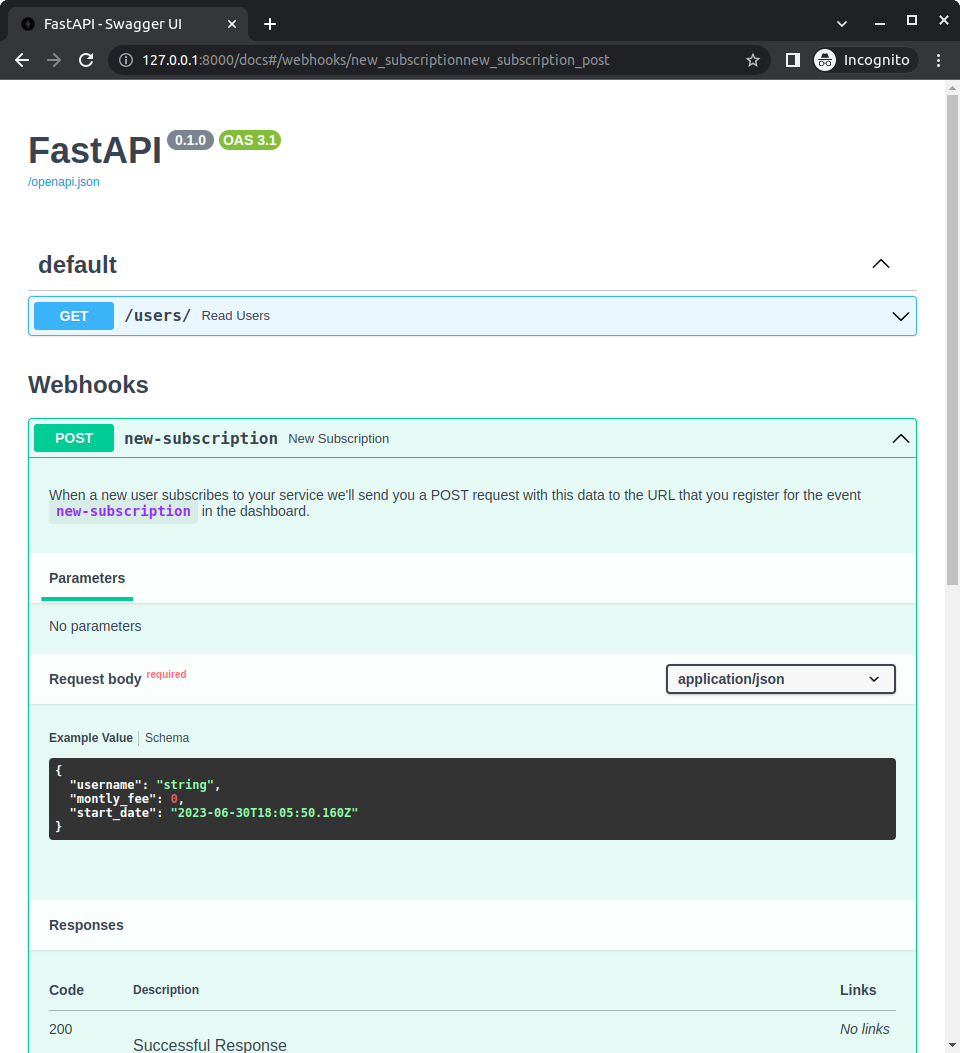
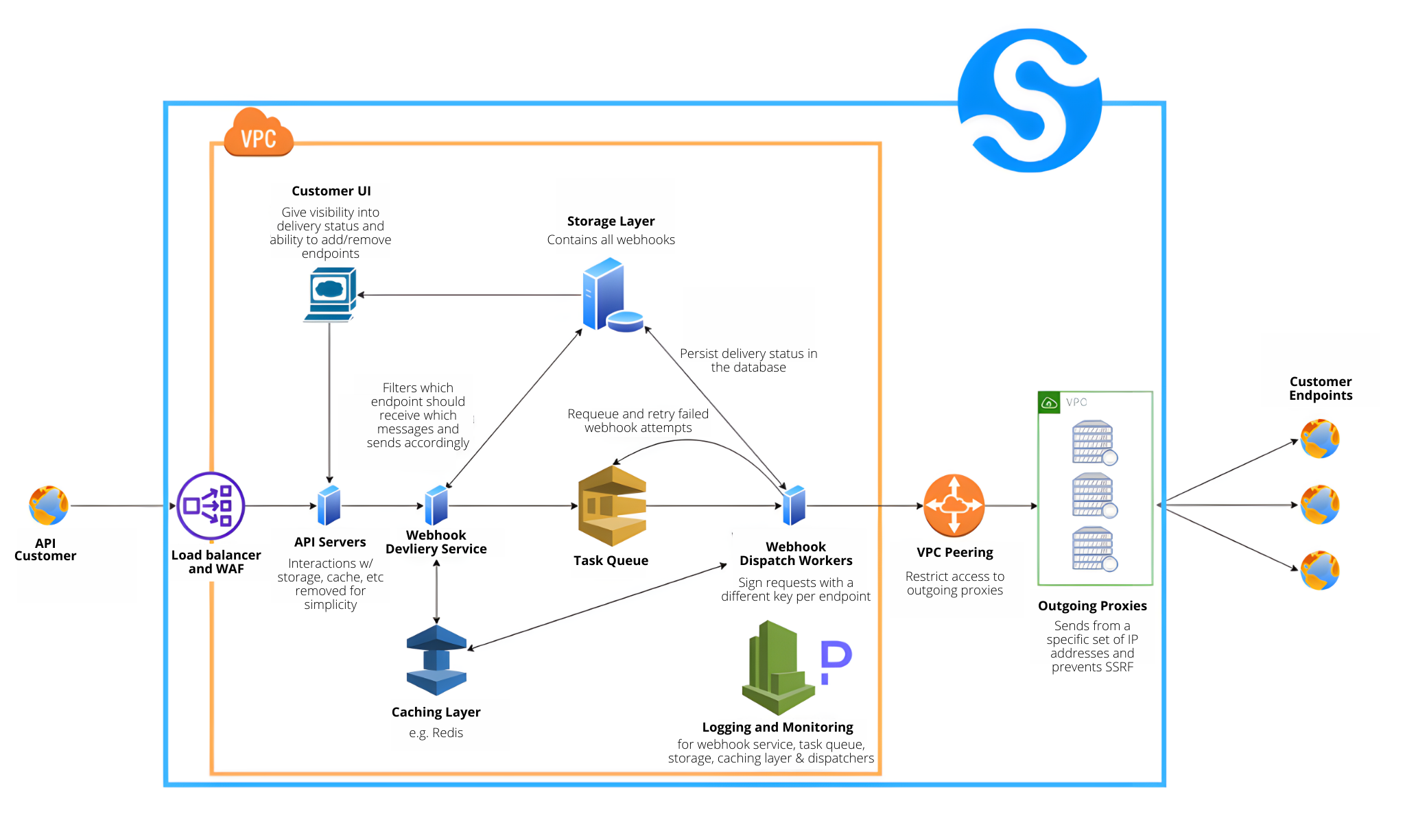

File main.py:
from fastapi import FastAPI, Request
import asyncio

app = FastAPI()
order_queue = asyncio.Queue()

@app.post("/webhook")
async def webhook(request: Request):
    data = await request.json()
    await order_queue.put(data)
    return {"status": "received", "data": data}
4. Tạo worker xử lý tín hiệu trong hàng đợi (Queue)
Queue giúp:
- Chống spam lệnh
- Chống tín hiệu gửi nhiều lần
- Đảm bảo xử lý tuần tự
- Tách Webhook và Execution Engine
async def worker():
    while True:
        signal = await order_queue.get()
        await process_signal(signal)
        order_queue.task_done()
Chạy worker trong background:
import threading

threading.Thread(target=asyncio.run, args=(worker(),), daemon=True).start()
5. Risk Engine – Chặn tín hiệu xấu trước khi đặt lệnh

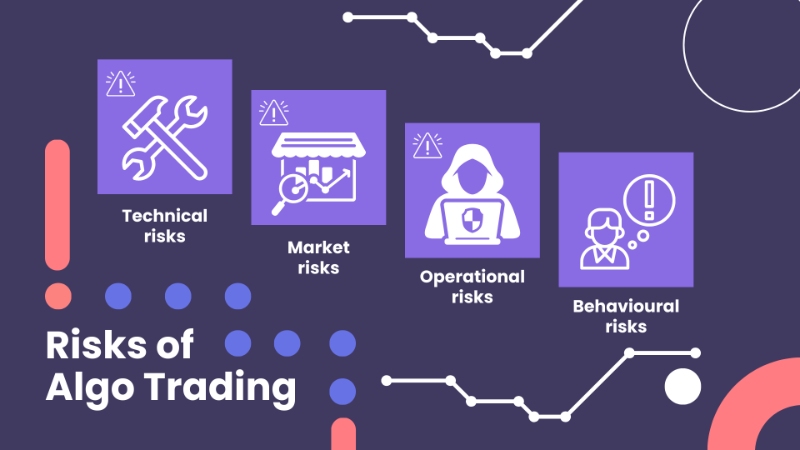
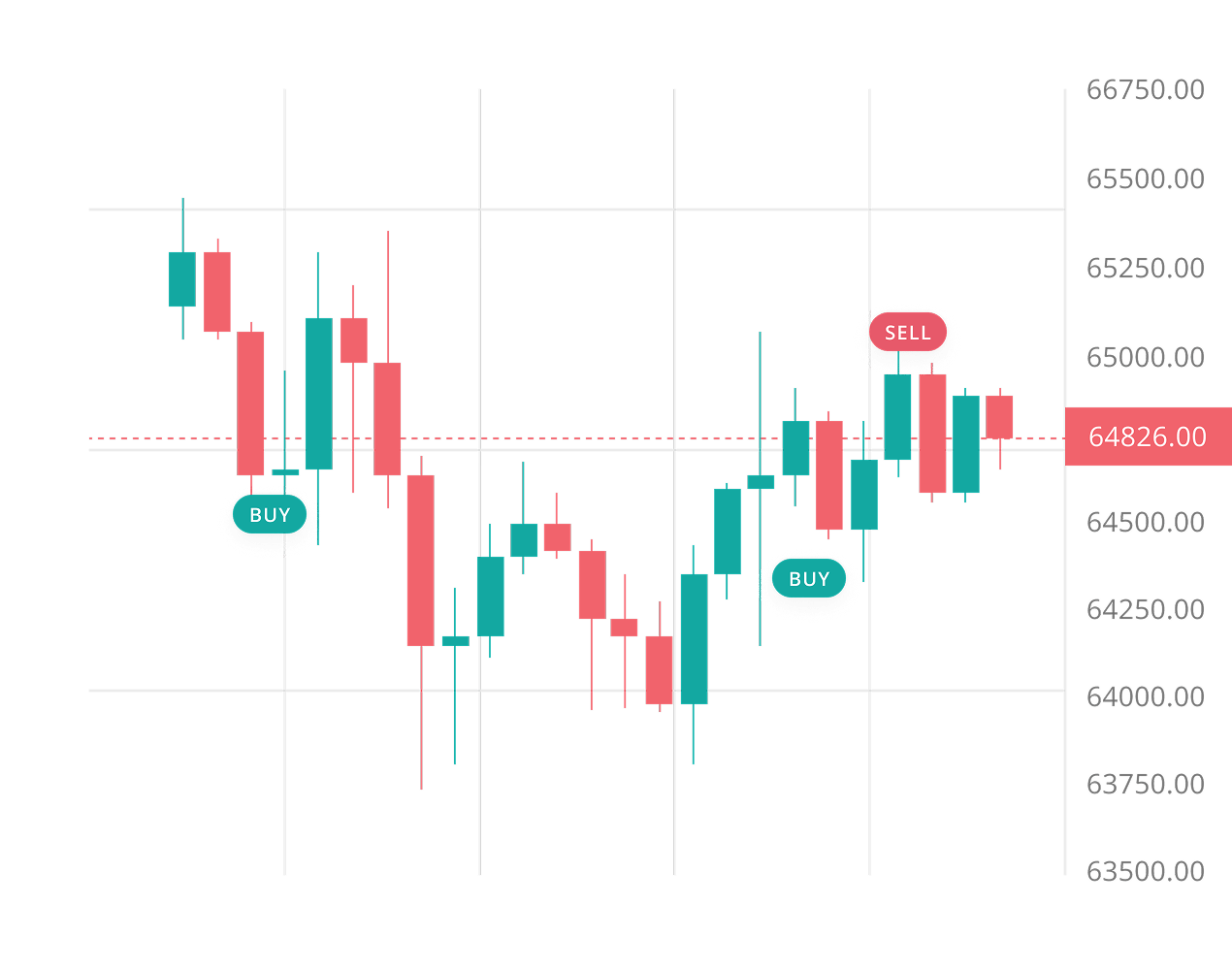
Risk Engine kiểm tra:
- Đang có vị thế chưa → Không vào trùng
- Hướng vị thế trái → Không đảo chiều sai
- Drawdown > Mức cho phép → Stop bot
- Volume quá lớn → Chặn
- Stop Loss > Risk% → Chặn
Ví dụ kiểm tra vị thế Crypto:
async def risk_check(signal):
    positions = exchange.fetch_positions()
    for pos in positions:
        if pos["symbol"] == signal["symbol"] and pos["contracts"] > 0:
            if pos["side"] == signal["signal"]:
                return False
    return True
Nếu không pass:
if not await risk_check(signal):
    send_alert("⚠️ Risk block: Duplicate or invalid position")
    return
6. Execution Engine – Đặt lệnh Crypto bằng ccxt


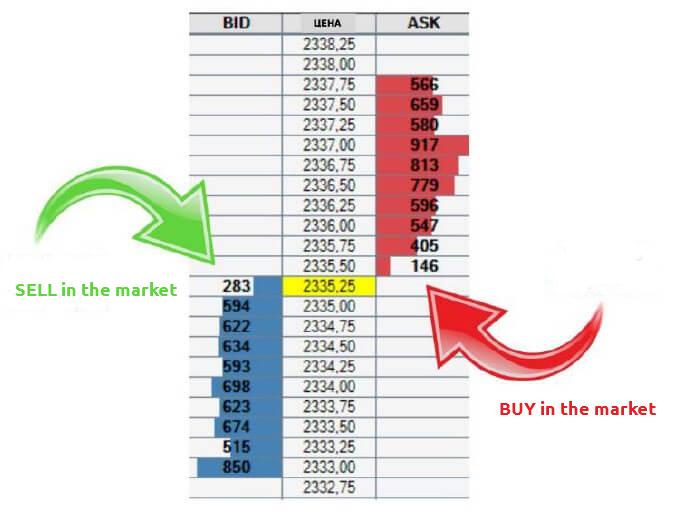
import ccxt

exchange = ccxt.binance({
    "apiKey": API_KEY,
    "secret": API_SECRET
})

async def execute_order(signal):
    order = exchange.create_order(
        symbol=signal["symbol"],
        type="market",
        side=signal["signal"],
        amount=calc_amount(signal)
    )
    return order
7. Đặt lệnh Forex bằng MT5
import MetaTrader5 as mt5

def mt5_execute(symbol, volume, order_type):
    request = {
        "action": mt5.TRADE_ACTION_DEAL,
        "symbol": symbol,
        "type": order_type,
        "volume": volume,
    }
    return mt5.order_send(request)
8. Kết hợp FastAPI + ccxt + Risk Engine + Execution
Pipeline xử lý cuối:
async def process_signal(signal):

    # Bước 1. Kiểm tra Risk
    if not await risk_check(signal):
        return

    # Bước 2. Tính volume
    volume = calc_position(signal)

    # Bước 3. Đặt lệnh
    order = await execute_order(signal)

    # Bước 4. Lưu log
    save_order(order)

    # Bước 5. Gửi notify
    send_tele("Order executed: " + str(order))
9. Tránh spam tín hiệu (Anti-Duplicate Protection)
Sử dụng:
- Hash tín hiệu
- Cache tín hiệu gần nhất
- Timestamp kiểm tra (ví dụ 10–15s)
import time

LAST_SIGNAL_TIME = 0

def anti_spam():
    global LAST_SIGNAL_TIME
    now = time.time()
    if now - LAST_SIGNAL_TIME < 5:  # 5 giây
        return False
    LAST_SIGNAL_TIME = now
    return True
10. Trạng thái bot (Bot Status API)
FastAPI cung cấp API để:
- Kiểm tra bot ON/OFF
- Kiểm tra số dư
- Kiểm tra vị thế
- Kiểm tra health
@app.get("/status")
def status():
    return {
        "bot": BOT_STATUS,
        "balance": exchange.fetch_balance()
    }
11. Logging & Alert


- Logging lệnh (DB + file)
- Telegram Alert
- Zalo Notifications
- Dashboard UI (React / Flutter)
Ví dụ gửi Telegram:
def send_tele(msg):
    url = f"https://api.telegram.org/bot{TOKEN}/sendMessage"
    requests.post(url, json={"chat_id": CHAT_ID, "text": msg})
12. Kiểm thử Pipeline TradingView → FastAPI
Checklist:
✔ Gửi 1 tín hiệu thử từ TradingView
✔ Kiểm tra FastAPI nhận đúng JSON
✔ Risk Engine kiểm tra đúng
✔ Execution Engine đặt lệnh đúng
✔ Log lưu chính xác
✔ Bot tạo alert Telegram
✔ Không bị spam tín hiệu
✔ Không đặt lệnh trùng
13. Kết luận
Pipeline TradingView → FastAPI → Execution Engine là nền tảng của mọi hệ thống Auto Trading hiện đại.
Một bot mạnh phải thỏa:
- Nhận tín hiệu nhanh
- Không spam
- Risk Engine kiểm tra chặt
- Đặt lệnh chính xác
- Lưu log đầy đủ
- Giám sát realtime
Bot mạnh không nằm ở TradingView, mà nằm ở Backend FastAPI + Risk Engine + Execution Engine.
Tổng quan về kết nối tradingview fastapi
Kết Nối Tradingview Fastapi là chủ đề được nhiều người quan tâm trong cộng đồng đầu tư và lập trình. Hiểu đúng bản chất giúp bạn áp dụng hiệu quả vào công việc và đầu tư.
Bài viết này tổng hợp kiến thức về kết nối tradingview fastapi: khái niệm, các bước thực hiện, ví dụ minh họa và câu hỏi thường gặp.
Các khái niệm cần nắm
| Khái niệm | Giải thích | Ví dụ |
|---|---|---|
| Khái niệm 1 | Nền tảng của chủ đề | Áp dụng thực tế |
| Khái niệm 2 | Mở rộng kiến thức | Tình huống cụ thể |
| Khái niệm 3 | Ứng dụng nâng cao | Kết hợp nhiều yếu tố |
Các bước thực hiện chi tiết
Bắt đầu từ việc xác định mục tiêu rõ ràng, sau đó chia nhỏ công việc thành từng bước có thể kiểm tra được. Ghi chép lại quá trình để rút kinh nghiệm.
def main():
    # bước 1: xác định mục tiêu
    # bước 2: thu thập thông tin
    # bước 3: thực hiện và kiểm tra
    print('Hoàn thành')

if __name__ == '__main__':
    main()
Lưu ý và lỗi thường gặp
Lỗi phổ biến là làm tắt các bước quan trọng dẫn đến kết quả sai. Hãy kiểm tra từng giai đoạn và sẵn sàng quay lại điều chỉnh khi cần.
Câu hỏi thường gặp về kết nối tradingview fastapi
Tôi nên bắt đầu học kết nối tradingview fastapi từ đâu?
Hãy bắt đầu từ khái niệm cơ bản, làm theo ví dụ, rồi tự áp dụng vào một bài toán nhỏ của riêng bạn.
Cần bao lâu để thành thạo?
Tùy vào thời gian đầu tư, nhưng với thực hành đều đặn vài tuần bạn sẽ nắm được phần cốt lõi và tiếp tục phát triển.
Có tài liệu nào nên đọc không?
Ưu tiên tài liệu chính thức và các khóa học có bài tập thực hành, kết hợp với việc tự xây dựng dự án nhỏ.
Kết luận
Kết Nối Tradingview Fastapi là hành trình cần sự kiên trì và thực hành. Hãy đặt mục tiêu nhỏ, hoàn thành từng bước và không ngừng cải thiện để đạt kết quả tốt nhất.
Những sai lầm phổ biến khi áp dụng kết nối tradingview fastapi
Nhiều người gặp thất bại khi áp dụng kết nối tradingview fastapi không phải vì phương pháp sai, mà vì những sai lầm trong quá trình thực hiện. Nhận diện sớm các sai lầm này giúp bạn tránh được những tổn thất không đáng có.
| Sai lầm | Hậu quả | Cách khắc phục |
|---|---|---|
| Thiếu kế hoạch rõ ràng | Đi sai hướng, lãng phí thời gian | Lập kế hoạch và mục tiêu cụ thể |
| Bỏ qua dữ liệu gốc | Kết luận sai lệch | Kiểm tra nguồn dữ liệu kỹ lưỡng |
| Quá phức tạp ban đầu | Khó vận hành, dễ nản | Bắt đầu tối giản |
| Không kiểm tra định kỳ | Rủi ro âm thầm tăng | Đặt lịch kiểm tra đều đặn |
| Kỳ vọng phi thực tế | Thất vọng, bỏ cuộc | Đặt mục tiêu thực tế, dài hạn |
| Sao chép máy móc | Không phù hợp hoàn cảnh | Điều chỉnh theo bối cảnh |
Cách xử lý khi gặp sai lầm
Khi phát hiện sai lầm, đừng hoảng loạn. Hãy dừng lại, xác định nguyên nhân gốc, khắc phục và rút kinh nghiệm. Ghi chép lại bài học để không lặp lại trong tương lai. Thất bại nhỏ và sớm luôn rẻ hơn thất bại lớn và muộn.
Công cụ và tài nguyên hỗ trợ kết nối tradingview fastapi
Để áp dụng kết nối tradingview fastapi hiệu quả, bạn cần những công cụ phù hợp. Việc lựa chọn đúng công cụ giúp bạn tiết kiệm thời gian và nâng cao chất lượng công việc.
| Loại | Công cụ ví dụ | Mục đích |
|---|---|---|
| Ngôn ngữ lập trình | Python, Dart, MQL5 | Xây dựng giải pháp |
| Xử lý dữ liệu | pandas, numpy, Excel | Làm sạch, phân tích |
| Trực quan hóa | matplotlib, Tableau | Hiểu dữ liệu nhanh |
| Tự động hóa | schedule, systemd, Docker | Chạy liên tục 24/7 |
| Giao tiếp | Telegram, Slack | Cảnh báo, cập nhật |
| Quản lý mã nguồn | Git, GitHub | Lưu trữ, phối hợp |
Khi mới bắt đầu, đừng ôm đồm quá nhiều công cụ. Hãy chọn một bộ tối thiểu và thành thạo chúng trước. Việc thêm công cụ mới chỉ nên diễn ra khi thực sự cần thiết để giải quyết một vấn đề cụ thể.
Cách học công cụ mới nhanh
Học bằng cách làm: chọn một bài toán nhỏ, dùng công cụ để giải quyết, và tìm hiểu tài liệu khi gặp vướng mắc. Phương pháp này giúp kiến thức được gắn với thực tế và nhớ lâu hơn nhiều so với đọc lý thuyết đơn thuần.
Checklist kiểm tra trước khi áp dụng kết nối tradingview fastapi
Trước khi triển khai kết nối tradingview fastapi, hãy dùng checklist dưới đây để đảm bảo bạn không bỏ sót bước quan trọng nào. Checklist giúp quy trình trở nên nhất quán và giảm thiểu sai sót.
| # | Hạng mục | Trạng thái |
|---|---|---|
| 1 | Mục tiêu rõ ràng, đo lường được | [ ] |
| 2 | Dữ liệu / thông tin đầu vào đầy đủ | [ ] |
| 3 | Công cụ và môi trường sẵn sàng | [ ] |
| 4 | Quy trình từng bước được xác định | [ ] |
| 5 | Kế hoạch kiểm tra kết quả | [ ] |
| 6 | Phương án xử lý rủi ro | [ ] |
| 7 | Ghi chép và lưu trữ kết quả | [ ] |
Hãy hoàn thành từng mục trước khi chuyển sang bước thực hiện chính. Nếu bất kỳ mục nào chưa sẵn sàng, hãy dành thời gian xử lý trước thay vì lao vào làm vội. Chuẩn bị kỹ lưỡng giúp bạn tránh những sửa chữa tốn kém về sau.
Sau khi hoàn thành
Sau khi triển khai, hãy quay lại kiểm tra từng mục và ghi chú kết quả. Những ghi chú này là tài liệu tham khảo quý giá cho lần triển khai tiếp theo, giúp bạn rút ngắn thời gian và nâng cao chất lượng dần theo thời gian.
Case study điển hình về kết nối tradingview fastapi
Để thấy rõ giá trị thực tế của kết nối tradingview fastapi, chúng ta xem xét một case study điển hình. Một người mới bắt đầu với ít kinh nghiệm, sau khi áp dụng có hệ thống đã đạt được kết quả rõ rệt trong một khoảng thời gian nhất định.
Ban đầu, họ dành thời gian học khái niệm và xây dựng phiên bản tối giản. Thay vì tìm kiếm giải pháp hoàn hảo, họ tập trung vào việc hoàn thành từng bước nhỏ và đo lường kết quả. Cách tiếp cận này giúp họ duy trì động lực và cải thiện liên tục.
| Mốc thời gian | Hành động | Kết quả |
|---|---|---|
| Tháng 1 | Học cơ bản, chuẩn bị công cụ | Nắm nền tảng |
| Tháng 2 | Xây dựng phiên bản đầu tiên | Có sản phẩm chạy được |
| Tháng 3 | Kiểm thử và tối ưu | Kết quả cải thiện |
| Tháng 4 | Mở rộng và tự động hóa | Tiết kiệm thời gian đáng kể |
| Tháng 6 | Vận hành ổn định | Kết quả nhất quán, dài hạn |
Bài học rút ra từ case study
Bài học quan trọng nhất là sự kiên trì và làm có hệ thống. Không có bước nhảy thần kỳ nào, chỉ có sự tích lũy đều đặn. Bạn cũng nên sẵn sàng điều chỉnh khi dữ liệu cho thấy cần thay đổi, thay vì cố chấp giữ nguyên kế hoạch cũ.
Xu hướng và tương lai của kết nối tradingview fastapi
Lĩnh vực liên quan đến kết nối tradingview fastapi đang phát triển rất nhanh. Hiểu được xu hướng giúp bạn chuẩn bị tốt hơn và nắm bắt cơ hội trước khi chúng trở nên phổ biến.
Một xu hướng rõ ràng là sự tự động hóa ngày càng sâu. Những công việc từng đòi hỏi thao tác thủ công đang dần được thay thế bằng các quy trình tự động, giúp con người tập trung vào quyết định chiến lược.
Xu hướng thứ hai là vai trò ngày càng lớn của dữ liệu và trí tuệ nhân tạo. Việc ra quyết định dựa trên dữ liệu khách quan đang trở thành chuẩn mực, thay vì dựa vào cảm tính.
| Xu hướng | Tác động | Cơ hội |
|---|---|---|
| Tự động hóa | Giảm công việc thủ công | Xây dựng hệ thống 24/7 |
| Dữ liệu lớn | Quyết định chính xác hơn | Phân tích sâu hơn |
| AI / Machine Learning | Tự học và thích nghi | Mô hình thông minh hơn |
| Đa nền tảng | Phủ rộng người dùng | Ứng dụng linh hoạt |
| Bảo mật | An toàn hơn | Niềm tin của người dùng |
Chuẩn bị cho tương lai
Để không bị tụt lại, hãy xây dựng nền tảng vững chắc về kiến thức cốt lõi và không ngừng học hỏi công nghệ mới. Kỹ năng học cách học chính là lợi thế cạnh tranh bền vững nhất trong thời đại thay đổi nhanh.
Tổng kết và các bước hành động tiếp theo về kết nối tradingview fastapi
Qua bài viết, chúng ta đã đi qua các khía cạnh quan trọng của kết nối tradingview fastapi: khái niệm cốt lõi, cách triển khai, các lỗi cần tránh và những thực hành tốt nhất. Điều quan trọng là biến kiến thức thành hành động.
| Hành động | Chi tiết | Thời gian dự kiến |
|---|---|---|
| Ôn lại lý thuyết | Đọc lại các khái niệm chính | 30 phút |
| Làm bài tập nhỏ | Áp dụng vào một ví dụ cụ thể | 1-2 giờ |
| Xây dựng dự án nhỏ | Tạo sản phẩm tối giản | Vài ngày |
| Chia sẻ & phản hồi | Tham gia cộng đồng | Liên tục |
| Đánh giá định kỳ | Xem lại kết quả mỗi tuần | Định kỳ |
Hãy bắt đầu ngay hôm nay với một bước nhỏ. Đừng chờ đến khi có đủ điều kiện hoàn hảo, vì điều kiện hoàn hảo hiếm khi đến. Việc bắt đầu sớm và kiên trì chính là yếu tố quyết định sự thành công của bạn với chủ đề này.
Phân tích chuyên sâu về kết nối tradingview fastapi
Để hiểu đầy đủ về kết nối tradingview fastapi, chúng ta cần phân tích từ nhiều góc độ: bản chất, cách vận hành, điều kiện áp dụng và kết quả kỳ vọng. Mỗi góc độ giúp bạn có một bức tranh hoàn chỉnh hơn trước khi đưa ra quyết định.
Về bản chất, kết nối tradingview fastapi không phải là một phép màu mà là kết quả của quá trình nghiên cứu, thử nghiệm và tối ưu liên tục. Người thành công thường bắt đầu từ những bước nhỏ, đo lường kết quả và điều chỉnh dần.
Điều kiện áp dụng cũng rất quan trọng. Một phương pháp hiệu quả với người này chưa chắc phù hợp với người khác, vì vậy bạn cần đối chiếu với hoàn cảnh cụ thể của mình: vốn, thời gian, kiến thức và khả năng chịu rủi ro.
| Góc độ | Câu hỏi cần trả lời | Ý nghĩa thực tế |
|---|---|---|
| Bản chất | Nó hoạt động dựa trên nguyên lý gì? | Hiểu cốt lõi để không áp dụng sai |
| Vận hành | Quy trình thực hiện ra sao? | Biết rõ từng bước để kiểm soát |
| Điều kiện | Khi nào nên / không nên dùng? | Tránh lạm dụng gây rủi ro |
| Kết quả | Kỳ vọng hợp lý là gì? | Đặt mục tiêu thực tế, đo lường được |
| Rủi ro | Điều gì có thể sai? | Có kế hoạch dự phòng |
Cách tư duy đúng khi nghiên cứu kết nối tradingview fastapi
Hãy luôn đặt câu hỏi: dữ liệu này từ đâu, giả định nào đang được dùng, và nếu giả định sai thì kết quả thay đổi ra sao. Tư duy phản biện giúp bạn tránh những kết luận vội vàng và những quyết định thiếu cơ sở.
Ví dụ thực tế về kết nối tradingview fastapi
Để minh họa rõ hơn, chúng ta xét một ví dụ thực tế áp dụng kết nối tradingview fastapi. Giả sử bạn muốn triển khai nó vào công việc hằng ngày: bắt đầu từ việc xác định mục tiêu, thu thập dữ liệu cần thiết, rồi thực hiện từng bước.
Bước đầu tiên, hãy liệt kê các tài nguyên và công cụ bạn đang có. Bước thứ hai, xây dựng một phiên bản tối giản nhất có thể chạy được. Bước thứ ba, kiểm tra kết quả trên dữ liệu nhỏ trước khi mở rộng.
# ví dụ tối giản: chạy thử từng bước
def step_1():
    print('Thu thập dữ liệu')
def step_2():
    print('Xử lý và phân tích')
def step_3():
    print('Đánh giá kết quả')
for f in (step_1, step_2, step_3):
    f()
Kết quả ban đầu có thể chưa hoàn hảo, nhưng quan trọng là bạn có một vòng lặp làm → đo → học. Mỗi vòng lặp giúp bạn hiểu sâu hơn và cải thiện chất lượng.
Điều chỉnh sau khi thử nghiệm
Sau vòng lặp đầu tiên, hãy ghi lại những gì hoạt động tốt và những gì chưa. Dựa trên đó, điều chỉnh một tham số tại một thời điểm để dễ dàng xác định nguyên nhân của sự thay đổi.

Bài viết liên quan