Lập Trình Bot Spot Tạo Thu Nhập Thụ Động Với Bitget
Mục lục bài viết
Hướng dẫn chi tiết lập trình bot spot trading trên Bitget để tạo thu nhập thụ động với các chiến lược grid trading, DCA và arbitrage.
Lập Trình Bot Spot Tạo Thu Nhập Thụ Động Với Bitget
Bot spot trading là một trong những cách hiệu quả nhất để tạo thu nhập thụ động trong thị trường crypto. Bài viết này sẽ hướng dẫn bạn cách lập trình bot spot trading trên Bitget để tự động hóa giao dịch và tạo thu nhập thụ động 24/7.
Tại Sao Chọn Spot Trading?
Spot trading (giao dịch giao ngay) có nhiều ưu điểm so với futures:
- Rủi ro thấp hơn: Không có đòn bẩy, không bị thanh lý
- Phù hợp cho người mới: Dễ hiểu và dễ sử dụng
- Thu nhập ổn định: Tận dụng biến động giá trong range
- An toàn hơn: Sở hữu coin thực tế, không lo margin call
- Phù hợp cho bot: Có thể chạy lâu dài với rủi ro kiểm soát được
Các Chiến Lược Tạo Thu Nhập Thụ Động
1. Grid Trading (Lưới Giao Dịch)
Grid trading là chiến lược đặt lệnh mua/bán ở nhiều mức giá khác nhau trong một range. Bot sẽ tự động mua ở giá thấp và bán ở giá cao, tạo lợi nhuận từ biến động giá.
Ưu điểm:
- Tận dụng biến động giá trong range
- Tự động hóa hoàn toàn
- Phù hợp với thị trường sideways
2. DCA (Dollar Cost Averaging)
DCA là chiến lược mua định kỳ với số tiền cố định, giúp giảm rủi ro và tối ưu giá mua trung bình.
Ưu điểm:
- Giảm rủi ro timing
- Phù hợp cho đầu tư dài hạn
- Tự động hóa dễ dàng
3. Arbitrage
Arbitrage là tận dụng chênh lệch giá giữa các sàn giao dịch hoặc giữa spot và futures.
Ưu điểm:
- Rủi ro thấp
- Lợi nhuận nhanh
- Cần vốn lớn để hiệu quả
Bước 1: Chuẩn Bị Môi Trường
Cài Đặt Công Cụ
# Cài đặt Python 3.8+
# Tải từ python.org

# Cài đặt các thư viện
pip install bitget-python-sdk-api pandas numpy requests python-dotenv
Tạo API Key Trên Bitget
- Đăng nhập vào Bitget
- Vào API Management → Create API
- Đặt tên API và chọn quyền hạn:
- Read (bắt buộc)
- Trade (để giao dịch)
- Withdraw (KHÔNG nên bật)
- Lưu API Key, Secret Key và Passphrase
Lưu ý bảo mật:
- Không chia sẻ API keys
- Sử dụng IP whitelist nếu có thể
- Chỉ bật quyền cần thiết
Bước 2: Thiết Lập Dự Án
Cấu Trúc Thư Mục
bitget-spot-bot/
├── config/
│   └── .env              # Lưu API keys
├── src/
│   ├── bot.py            # File chính
│   ├── grid_strategy.py  # Chiến lược grid
│   ├── dca_strategy.py   # Chiến lược DCA
│   └── utils.py          # Các hàm tiện ích
├── data/                 # Lưu dữ liệu
├── logs/                 # Lưu log
└── requirements.txt      # Dependencies
File .env
BITGET_API_KEY=your_api_key_here
BITGET_SECRET_KEY=your_secret_key_here
BITGET_PASSPHRASE=your_passphrase_here
File requirements.txt
bitget-python-sdk-api==1.0.0
pandas==2.0.3
numpy==1.24.3
requests==2.31.0
python-dotenv==1.0.0
Bước 3: Kết Nối Với Bitget API
File src/bot.py – Kết Nối Cơ Bản
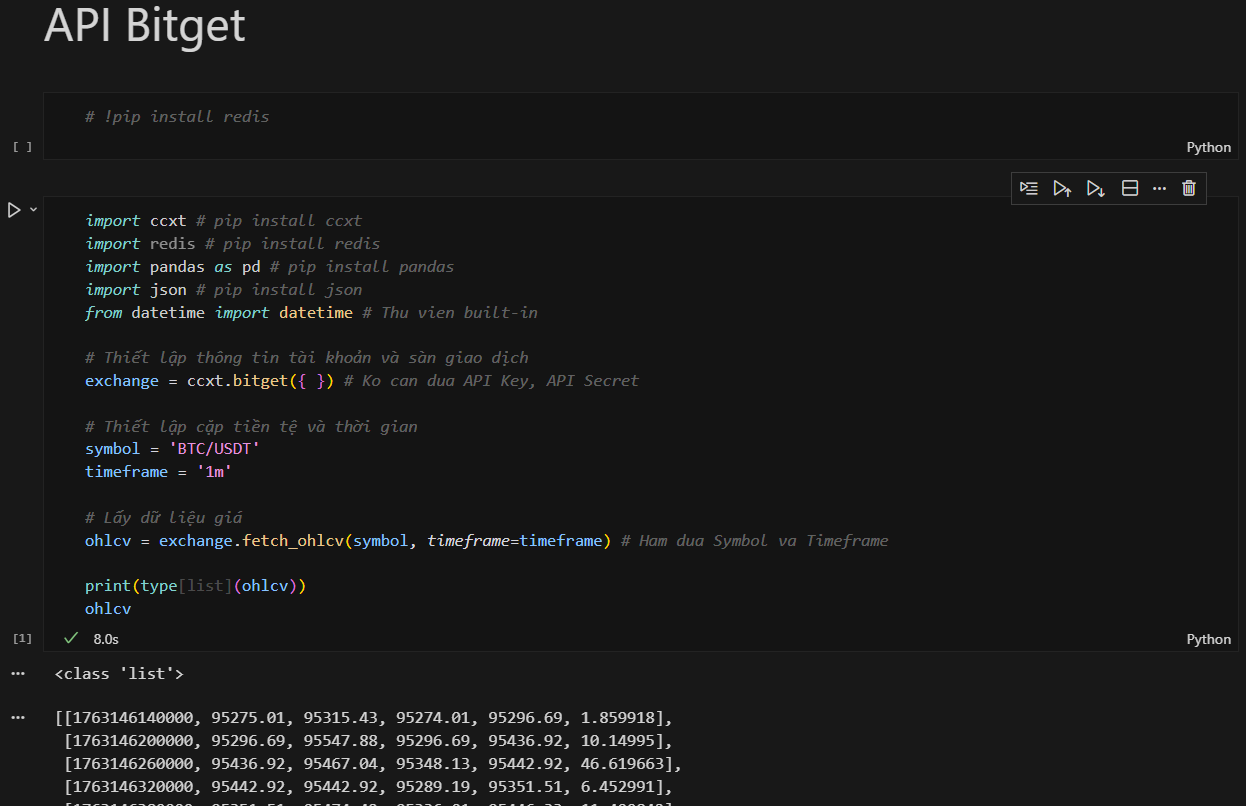
from bitget import Client
from dotenv import load_dotenv
import os
import logging
from datetime import datetime

# Load environment variables
load_dotenv()

class BitgetSpotBot:
    def __init__(self):
        """Khởi tạo bot và kết nối với Bitget"""
        api_key = os.getenv('BITGET_API_KEY')
        secret_key = os.getenv('BITGET_SECRET_KEY')
        passphrase = os.getenv('BITGET_PASSPHRASE')

        # Khởi tạo client
        self.client = Client(
            api_key=api_key,
            secret_key=secret_key,
            passphrase=passphrase
        )

        # Setup logging
        self.setup_logging()

        # Test kết nối
        try:
            account = self.get_account()
            self.logger.info("Kết nối Bitget thành công!")
            self.logger.info(f"Số dư USDT: {self.get_balance('USDT'):.2f}")
        except Exception as e:
            self.logger.error(f"Lỗi kết nối: {e}")
            raise

    def setup_logging(self):
        """Thiết lập logging"""
        log_dir = 'logs'
        if not os.path.exists(log_dir):
            os.makedirs(log_dir)

        log_file = f"{log_dir}/bot_{datetime.now().strftime('%Y%m%d')}.log"

        logging.basicConfig(
            level=logging.INFO,
            format='%(asctime)s - %(levelname)s - %(message)s',
            handlers=[
                logging.FileHandler(log_file),
                logging.StreamHandler()
            ]
        )

        self.logger = logging.getLogger(__name__)

    def get_account(self):
        """Lấy thông tin tài khoản"""
        return self.client.account()

    def get_balance(self, asset='USDT'):
        """Lấy số dư tài khoản"""
        account = self.get_account()
        for balance in account.get('data', []):
            if balance.get('coin') == asset:
                available = float(balance.get('available', 0))
                return available
        return 0.0

    def get_price(self, symbol='BTCUSDT'):
        """Lấy giá hiện tại"""
        ticker = self.client.ticker(symbol=symbol)
        if ticker and ticker.get('data'):
            return float(ticker['data'][0].get('last', 0))
        return 0.0

    def get_orderbook(self, symbol='BTCUSDT', limit=20):
        """Lấy orderbook"""
        orderbook = self.client.orderbook(symbol=symbol, limit=limit)
        return orderbook

if __name__ == "__main__":
    bot = BitgetSpotBot()
    btc_price = bot.get_price('BTCUSDT')
    print(f"Giá BTC/USDT: ${btc_price:,.2f}")
Bước 4: Chiến Lược Grid Trading
File src/grid_strategy.py
from bot import BitgetSpotBot
import pandas as pd
import time

class GridStrategy:
    def __init__(self, bot: BitgetSpotBot, symbol='BTCUSDT',
                 grid_count=10, price_range=0.05):
        """
        Khởi tạo chiến lược grid trading

        Args:
            bot: Instance của BitgetSpotBot
            symbol: Cặp giao dịch (ví dụ: BTCUSDT)
            grid_count: Số lượng grid (số lệnh mua/bán)
            price_range: Phạm vi giá (5% = 0.05)
        """
        self.bot = bot
        self.symbol = symbol
        self.grid_count = grid_count
        self.price_range = price_range
        self.grid_orders = []
        self.current_price = 0.0

    def calculate_grid_levels(self):
        """Tính toán các mức giá cho grid"""
        current_price = self.bot.get_price(self.symbol)
        self.current_price = current_price

        # Tính toán range
        upper_price = current_price * (1 + self.price_range / 2)
        lower_price = current_price * (1 - self.price_range / 2)

        # Tính toán các mức giá
        price_step = (upper_price - lower_price) / self.grid_count
        grid_levels = []

        for i in range(self.grid_count + 1):
            price = lower_price + (price_step * i)
            grid_levels.append(price)

        return grid_levels

    def place_grid_orders(self, investment_amount):
        """Đặt các lệnh grid"""
        grid_levels = self.calculate_grid_levels()
        order_amount = investment_amount / (len(grid_levels) - 1)

        self.bot.logger.info(f"Đặt {len(grid_levels)-1} lệnh grid cho {self.symbol}")

        for i in range(len(grid_levels) - 1):
            buy_price = grid_levels[i]
            sell_price = grid_levels[i + 1]

            # Đặt lệnh mua limit
            buy_order = self.bot.place_limit_buy(
                symbol=self.symbol,
                price=buy_price,
                quantity=order_amount / buy_price
            )

            if buy_order:
                self.grid_orders.append({
                    'type': 'buy',
                    'price': buy_price,
                    'order_id': buy_order.get('orderId'),
                    'sell_price': sell_price
                })
                self.bot.logger.info(f"Đặt lệnh mua tại ${buy_price:.2f}")

            time.sleep(0.1)  # Tránh rate limit

    def check_and_execute(self):
        """Kiểm tra và thực hiện giao dịch"""
        # Kiểm tra các lệnh đã khớp
        for grid_order in self.grid_orders:
            if grid_order['type'] == 'buy':
                # Kiểm tra lệnh mua đã khớp chưa
                order_status = self.bot.get_order_status(
                    symbol=self.symbol,
                    order_id=grid_order['order_id']
                )

                if order_status == 'filled':
                    # Đặt lệnh bán
                    sell_order = self.bot.place_limit_sell(
                        symbol=self.symbol,
                        price=grid_order['sell_price'],
                        quantity=grid_order.get('quantity', 0)
                    )

                    if sell_order:
                        grid_order['type'] = 'sell'
                        grid_order['sell_order_id'] = sell_order.get('orderId')
                        self.bot.logger.info(f"Đặt lệnh bán tại ${grid_order['sell_price']:.2f}")

            elif grid_order['type'] == 'sell':
                # Kiểm tra lệnh bán đã khớp chưa
                order_status = self.bot.get_order_status(
                    symbol=self.symbol,
                    order_id=grid_order['sell_order_id']
                )

                if order_status == 'filled':
                    # Lệnh đã hoàn thành, tính lợi nhuận
                    profit = (grid_order['sell_price'] - grid_order['price']) * grid_order.get('quantity', 0)
                    self.bot.logger.info(f"Lợi nhuận: ${profit:.2f}")

                    # Đặt lại lệnh mua
                    buy_order = self.bot.place_limit_buy(
                        symbol=self.symbol,
                        price=grid_order['price'],
                        quantity=grid_order.get('quantity', 0)
                    )

                    if buy_order:
                        grid_order['type'] = 'buy'
                        grid_order['order_id'] = buy_order.get('orderId')
Thêm Các Hàm Giao Dịch Vào Bot
def place_limit_buy(self, symbol, price, quantity):
    """Đặt lệnh mua limit"""
    try:
        order = self.client.place_order(
            symbol=symbol,
            side='buy',
            orderType='limit',
            price=str(price),
            size=str(quantity)
        )
        self.logger.info(f"Đặt lệnh mua: {quantity} {symbol} tại ${price}")
        return order.get('data', {})
    except Exception as e:
        self.logger.error(f"Lỗi đặt lệnh mua: {e}")
        return None

def place_limit_sell(self, symbol, price, quantity):
    """Đặt lệnh bán limit"""
    try:
        order = self.client.place_order(
            symbol=symbol,
            side='sell',
            orderType='limit',
            price=str(price),
            size=str(quantity)
        )
        self.logger.info(f"Đặt lệnh bán: {quantity} {symbol} tại ${price}")
        return order.get('data', {})
    except Exception as e:
        self.logger.error(f"Lỗi đặt lệnh bán: {e}")
        return None

def get_order_status(self, symbol, order_id):
    """Lấy trạng thái lệnh"""
    try:
        order = self.client.get_order(symbol=symbol, orderId=order_id)
        return order.get('data', {}).get('status', 'unknown')
    except Exception as e:
        self.logger.error(f"Lỗi lấy trạng thái lệnh: {e}")
        return 'unknown'

# Thêm vào class BitgetSpotBot
BitgetSpotBot.place_limit_buy = place_limit_buy
BitgetSpotBot.place_limit_sell = place_limit_sell
BitgetSpotBot.get_order_status = get_order_status
Bước 5: Chiến Lược DCA (Dollar Cost Averaging)
File src/dca_strategy.py
from bot import BitgetSpotBot
import time
from datetime import datetime, timedelta

class DCAStrategy:
    def __init__(self, bot: BitgetSpotBot, symbol='BTCUSDT',
                 amount=100, interval_hours=24):
        """
        Khởi tạo chiến lược DCA

        Args:
            bot: Instance của BitgetSpotBot
            symbol: Cặp giao dịch
            amount: Số tiền mua mỗi lần (USDT)
            interval_hours: Khoảng thời gian giữa các lần mua (giờ)
        """
        self.bot = bot
        self.symbol = symbol
        self.amount = amount
        self.interval_hours = interval_hours
        self.last_buy_time = None

    def should_buy(self):
        """Kiểm tra có nên mua không"""
        if self.last_buy_time is None:
            return True

        # Kiểm tra đã đủ thời gian chưa
        time_since_last_buy = datetime.now() - self.last_buy_time
        if time_since_last_buy >= timedelta(hours=self.interval_hours):
            return True

        return False

    def execute_buy(self):
        """Thực hiện mua DCA"""
        if not self.should_buy():
            return False

        try:
            # Lấy giá hiện tại
            current_price = self.bot.get_price(self.symbol)

            # Tính số lượng coin
            quantity = self.amount / current_price

            # Đặt lệnh market buy
            order = self.bot.place_market_buy(
                symbol=self.symbol,
                quantity=quantity
            )

            if order:
                self.last_buy_time = datetime.now()
                self.bot.logger.info(
                    f"DCA mua: {quantity:.6f} {self.symbol} "
                    f"với ${self.amount} tại ${current_price:.2f}"
                )
                return True
        except Exception as e:
            self.bot.logger.error(f"Lỗi DCA: {e}")
            return False

    def run(self):
        """Chạy chiến lược DCA"""
        self.bot.logger.info(f"🚀 Bắt đầu DCA cho {self.symbol}")

        while True:
            try:
                if self.should_buy():
                    self.execute_buy()

                # Chờ 1 giờ trước khi kiểm tra lại
                time.sleep(3600)

            except KeyboardInterrupt:
                self.bot.logger.info("Dừng DCA strategy")
                break
            except Exception as e:
                self.bot.logger.error(f"Lỗi: {e}")
                time.sleep(3600)
Thêm Hàm Market Buy
def place_market_buy(self, symbol, quantity):
    """Đặt lệnh mua market"""
    try:
        order = self.client.place_order(
            symbol=symbol,
            side='buy',
            orderType='market',
            size=str(quantity)
        )
        self.logger.info(f"Mua market: {quantity} {symbol}")
        return order.get('data', {})
    except Exception as e:
        self.logger.error(f"Lỗi mua market: {e}")
        return None

BitgetSpotBot.place_market_buy = place_market_buy
Bước 6: Vòng Lặp Chính
File run.py
from src.bot import BitgetSpotBot
from src.grid_strategy import GridStrategy
from src.dca_strategy import DCAStrategy
import time

def main():
    # Khởi tạo bot
    bot = BitgetSpotBot()

    # Chọn chiến lược
    strategy_type = input("Chọn chiến lược (1: Grid, 2: DCA): ")

    if strategy_type == "1":
        # Grid Trading
        symbol = input("Nhập cặp giao dịch (ví dụ: BTCUSDT): ")
        grid_count = int(input("Số lượng grid (mặc định 10): ") or "10")
        price_range = float(input("Phạm vi giá % (mặc định 5): ") or "5") / 100
        investment = float(input("Số tiền đầu tư (USDT): "))

        strategy = GridStrategy(
            bot=bot,
            symbol=symbol,
            grid_count=grid_count,
            price_range=price_range
        )

        # Đặt lệnh grid ban đầu
        strategy.place_grid_orders(investment)

        # Vòng lặp kiểm tra
        while True:
            try:
                strategy.check_and_execute()
                time.sleep(60)  # Kiểm tra mỗi phút
            except KeyboardInterrupt:
                bot.logger.info("Dừng bot...")
                break

    elif strategy_type == "2":
        # DCA Strategy
        symbol = input("Nhập cặp giao dịch (ví dụ: BTCUSDT): ")
        amount = float(input("Số tiền mua mỗi lần (USDT): "))
        interval = int(input("Khoảng thời gian (giờ, mặc định 24): ") or "24")

        strategy = DCAStrategy(
            bot=bot,
            symbol=symbol,
            amount=amount,
            interval_hours=interval
        )

        strategy.run()

    else:
        print("Lựa chọn không hợp lệ!")

if __name__ == "__main__":
    main()
Bước 7: Tối Ưu Hóa và Quản Lý Rủi Ro
Quản Lý Vốn
def calculate_position_size(self, total_balance, risk_percent=10):
    """Tính toán kích thước vị thế"""
    max_investment = total_balance * (risk_percent / 100)
    return max_investment

def check_balance(self, min_balance=100):
    """Kiểm tra số dư tối thiểu"""
    balance = self.get_balance('USDT')
    if balance < min_balance:
        self.logger.warning(f"Số dư thấp: ${balance:.2f}")
        return False
    return True
Stop Loss và Take Profit
def set_stop_loss(self, symbol, entry_price, stop_loss_percent=5):
    """Đặt stop loss"""
    stop_price = entry_price * (1 - stop_loss_percent / 100)
    # Logic đặt stop loss
    pass

def set_take_profit(self, symbol, entry_price, take_profit_percent=10):
    """Đặt take profit"""
    take_profit_price = entry_price * (1 + take_profit_percent / 100)
    # Logic đặt take profit
    pass
Bước 8: Monitoring và Báo Cáo
Theo Dõi Hiệu Suất
import json
from datetime import datetime

class PerformanceTracker:
    def __init__(self, bot):
        self.bot = bot
        self.trades = []
        self.start_balance = bot.get_balance('USDT')

    def record_trade(self, trade_type, price, quantity, profit=0):
        """Ghi lại giao dịch"""
        trade = {
            'timestamp': datetime.now().isoformat(),
            'type': trade_type,
            'price': price,
            'quantity': quantity,
            'profit': profit
        }
        self.trades.append(trade)

    def calculate_total_profit(self):
        """Tính tổng lợi nhuận"""
        total_profit = sum(trade['profit'] for trade in self.trades)
        return total_profit

    def generate_report(self):
        """Tạo báo cáo"""
        current_balance = self.bot.get_balance('USDT')
        total_profit = self.calculate_total_profit()
        roi = (total_profit / self.start_balance) * 100

        report = {
            'start_balance': self.start_balance,
            'current_balance': current_balance,
            'total_profit': total_profit,
            'roi': roi,
            'total_trades': len(self.trades)
        }

        self.bot.logger.info(f"📊 Báo cáo: {json.dumps(report, indent=2)}")
        return report
Bảo Mật và Best Practices
1. Bảo Mật API Keys
# Sử dụng file .env
# Thêm .env vào .gitignore
# Không commit API keys
2. Error Handling
def safe_execute(self, func, *args, **kwargs):
    """Thực thi hàm an toàn"""
    try:
        return func(*args, **kwargs)
    except Exception as e:
        self.logger.error(f"Lỗi: {e}")
        return None
3. Rate Limiting
import time
from functools import wraps

def rate_limit(calls_per_second=10):
    """Giới hạn số lần gọi API"""
    min_interval = 1.0 / calls_per_second
    last_called = [0.0]

    def decorator(func):
        @wraps(func)
        def wrapper(*args, **kwargs):
            elapsed = time.time() - last_called[0]
            left_to_wait = min_interval - elapsed
            if left_to_wait > 0:
                time.sleep(left_to_wait)
            ret = func(*args, **kwargs)
            last_called[0] = time.time()
            return ret
        return wrapper
    return decorator
Kết Luận
Lập trình bot spot trading trên Bitget là một cách hiệu quả để tạo thu nhập thụ động. Bắt đầu với chiến lược đơn giản, test kỹ lưỡng, và luôn quản lý rủi ro cẩn thận.
Lưu ý quan trọng:
- Giao dịch crypto có rủi ro, chỉ đầu tư số tiền bạn có thể chấp nhận mất
- Luôn test trên testnet hoặc với số tiền nhỏ trước
- Monitor bot thường xuyên
- Học hỏi và cải thiện liên tục
- Đa dạng hóa chiến lược để giảm rủi ro
Tài Liệu Tham Khảo
- Bitget API Documentation
- Bitget Python SDK
- Tự Tạo Robot Trade Coin
- Các Bước Lập Trình Bot Crypto
- Giới Thiệu Bitget
Bài viết được biên soạn bởi CoinGetMarket.com – Nền tảng giáo dục về crypto và trading bot.
Bài lab liên quan
Tổng quan về lập trình bot spot
Lập Trình Bot Spot là chủ đề được nhiều người quan tâm trong cộng đồng đầu tư và lập trình. Hiểu đúng bản chất giúp bạn áp dụng hiệu quả vào công việc và đầu tư.
Bài viết này tổng hợp kiến thức về lập trình bot spot: khái niệm, các bước thực hiện, ví dụ minh họa và câu hỏi thường gặp.
Các khái niệm cần nắm
| Khái niệm | Giải thích | Ví dụ |
|---|---|---|
| Khái niệm 1 | Nền tảng của chủ đề | Áp dụng thực tế |
| Khái niệm 2 | Mở rộng kiến thức | Tình huống cụ thể |
| Khái niệm 3 | Ứng dụng nâng cao | Kết hợp nhiều yếu tố |
Các bước thực hiện chi tiết
Bắt đầu từ việc xác định mục tiêu rõ ràng, sau đó chia nhỏ công việc thành từng bước có thể kiểm tra được. Ghi chép lại quá trình để rút kinh nghiệm.
def main():
    # bước 1: xác định mục tiêu
    # bước 2: thu thập thông tin
    # bước 3: thực hiện và kiểm tra
    print('Hoàn thành')

if __name__ == '__main__':
    main()
Lưu ý và lỗi thường gặp
Lỗi phổ biến là làm tắt các bước quan trọng dẫn đến kết quả sai. Hãy kiểm tra từng giai đoạn và sẵn sàng quay lại điều chỉnh khi cần.
Câu hỏi thường gặp về lập trình bot spot
Tôi nên bắt đầu học lập trình bot spot từ đâu?
Hãy bắt đầu từ khái niệm cơ bản, làm theo ví dụ, rồi tự áp dụng vào một bài toán nhỏ của riêng bạn.
Cần bao lâu để thành thạo?
Tùy vào thời gian đầu tư, nhưng với thực hành đều đặn vài tuần bạn sẽ nắm được phần cốt lõi và tiếp tục phát triển.
Có tài liệu nào nên đọc không?
Ưu tiên tài liệu chính thức và các khóa học có bài tập thực hành, kết hợp với việc tự xây dựng dự án nhỏ.
Kết luận
Lập Trình Bot Spot là hành trình cần sự kiên trì và thực hành. Hãy đặt mục tiêu nhỏ, hoàn thành từng bước và không ngừng cải thiện để đạt kết quả tốt nhất.
Lộ trình triển khai lập trình bot spot từng bước
Việc triển khai lập trình bot spot hiệu quả cần một lộ trình rõ ràng. Chia nhỏ mục tiêu lớn thành các giai đoạn có thể kiểm tra được giúp bạn duy trì động lực và dễ dàng điều chỉnh khi gặp vướng mắc.
| Giai đoạn | Công việc chính | Kết quả mong đợi |
|---|---|---|
| Tuần 1 | Học khái niệm, chuẩn bị công cụ | Hiểu bản chất, môi trường sẵn sàng |
| Tuần 2 | Xây dựng phiên bản tối giản | Có sản phẩm chạy được |
| Tuần 3 | Kiểm thử và đánh giá | Báo cáo kết quả, phát hiện lỗi |
| Tuần 4 | Tối ưu và mở rộng | Chất lượng cải thiện rõ rệt |
| Tuần 5+ | Vận hành và duy trì | Hệ thống ổn định, cải tiến liên tục |
Ở mỗi giai đoạn, hãy dành thời gian ghi chép lại quá trình. Nhật ký công việc không chỉ giúp bạn nhớ lại mà còn là tài liệu quý để đối chiếu khi kết quả không như mong đợi.
Tiêu chí hoàn thành mỗi giai đoạn
Mỗi giai đoạn nên có tiêu chí hoàn thành rõ ràng. Ví dụ: ‘có thể chạy được với dữ liệu mẫu’, ‘không còn lỗi chặn’, ‘kết quả được ghi lại’. Tiêu chí rõ ràng giúp bạn biết chính xác khi nào nên chuyển sang bước tiếp theo.
Mẹo và thực hành tốt nhất với lập trình bot spot
Áp dụng lập trình bot spot đúng cách sẽ giúp bạn tiết kiệm thời gian và tránh những sai lầm tốn kém. Dưới đây là những thực hành tốt nhất đúc kết từ kinh nghiệm thực tế.
Trước hết, hãy giữ mọi thứ đơn giản. Bắt đầu với phương án đơn giản nhất đạt được mục tiêu, sau đó mới tối ưu. Sự phức tạp chỉ nên đến khi cần thiết.
Thứ hai, luôn đo lường. Nếu bạn không đo lường được, bạn không thể cải thiện. Hãy xác định các chỉ số chính ngay từ đầu và theo dõi chúng đều đặn.
Thứ ba, xây dựng thói quen kiểm tra định kỳ. Dành thời gian mỗi tuần để rà soát lại kết quả, phát hiện sớm những bất thường trước khi chúng trở thành vấn đề lớn.
| Thực hành | Lợi ích | Mức độ ưu tiên |
|---|---|---|
| Giữ đơn giản | Dễ hiểu, dễ bảo trì | Cao |
| Đo lường kết quả | Cải thiện liên tục | Cao |
| Kiểm tra định kỳ | Phát hiện sớm rủi ro | Cao |
| Ghi chép lại | Học hỏi từ quá khứ | Trung bình |
| Tự động hóa dần | Tiết kiệm thời gian | Trung bình |

Bài viết liên quan